
SQL for Testers: 15 Queries to Get QA Job-Ready in 2026
SQL for testers is the skill that lets QA engineers check what an app really saved, not just what the screen shows. This guide walks freshers through 15 SQL queries for QA testers, with a hands-on demo, safe-practice tips and a realistic roadmap. Start with simple SELECT statements and build up to joins.
15 beginner-friendly SQL queries every QA fresher should practise, explained with real testing scenarios.
Picture this. You clear the first round for a QA role in Navi Mumbai. The interviewer turns a laptop towards you and says, “Find all duplicate emails in the users table.” You know test cases, bug reports and Jira. But your mind goes blank. This moment is common for freshers, and it explains why SQL for testers appears in so many QA job descriptions on Naukri and LinkedIn.
Many freshers write good test cases but have never opened a database. That gap is easy to close, and it does not need a computer science degree. This guide from the trainers at Cinute Digital fixes it. You will learn what SQL does in a testing job, practise 15 queries that cover most daily tasks, try one hands-on demo, and follow a realistic plan to become job-ready. No coding background is needed. Every query uses a simple online-shopping database that you can recreate on your own laptop. Ready to see what really happens behind the screen?
SQL for testers means using simple database queries to check that an application saved, changed, or deleted data correctly. QA engineers mostly use SELECT, WHERE, COUNT, GROUP BY and JOIN to verify records, find duplicates, and trace defects, usually without writing or changing any application code.
What Is SQL, and Why Do QA Engineers Use It?
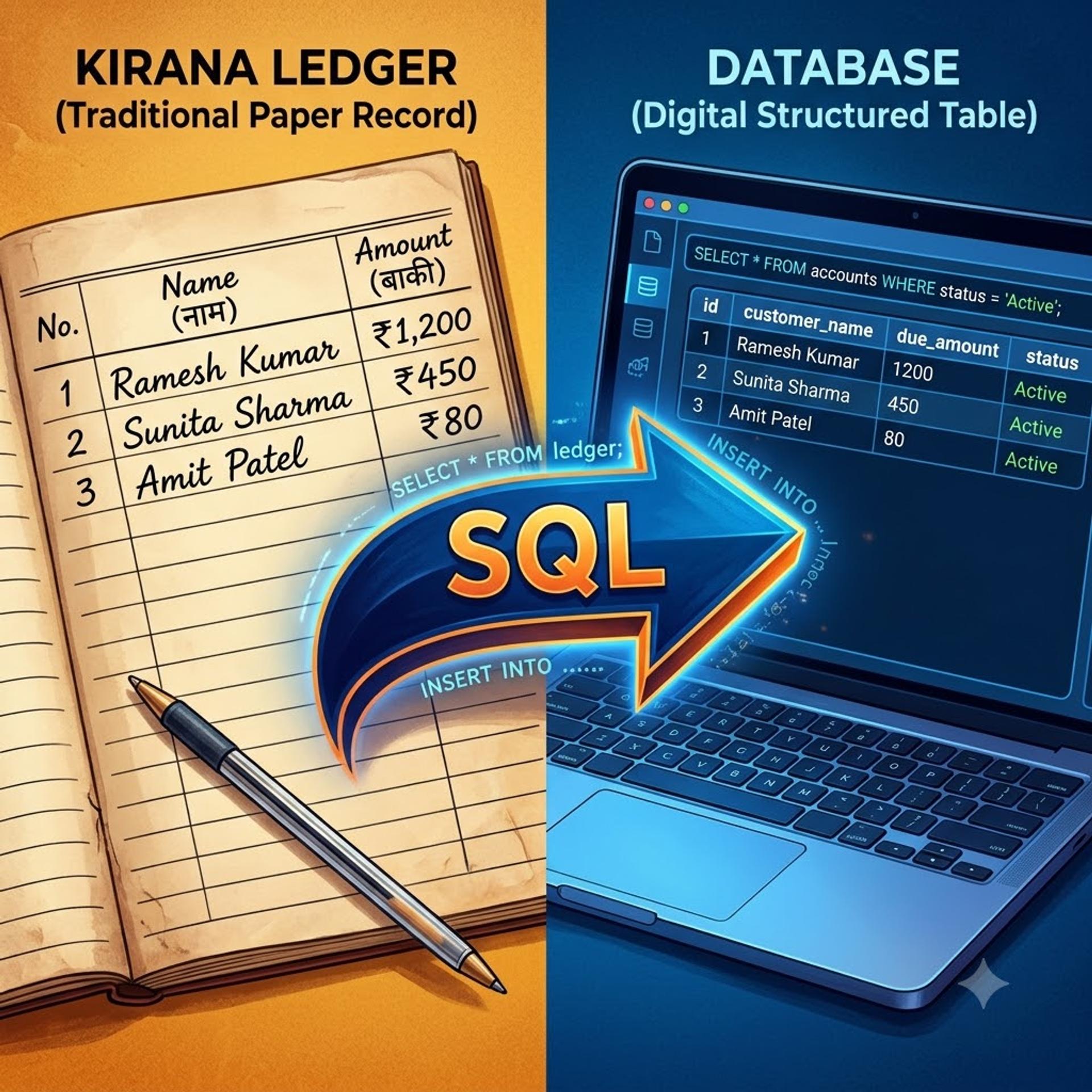
SQL (Structured Query Language) is the language you use to ask a database questions. Think of a kirana store’s khata (ledger). It records every customer’s name, date and amount owed. Ask the shopkeeper, “Who owes more than ₹500 since Diwali?” and he flips the pages and answers. A database is the digital khata. SQL is how you ask your question.
Now connect this to testing. You click “Place Order” in an app and see a green success message. But the screen only shows what the app chooses to show. The database holds what was actually saved. It is like a cashier saying “payment done” while the khata has no entry. Bugs love hiding in that gap. An order may be saved twice. A discount may be stored wrongly. A deleted account may still sit in the table.
This is why SQL for manual testing is not an advanced extra. It is basic hygiene. If you are building your foundation through manual software testing training, add SQL early so that your test cases check data, not only screens.
As a tester, you use SQL for three jobs:
- Verify: confirm that data was saved, changed or deleted correctly after a UI or API action.
- Investigate: find which records broke, and how many, when you spot a defect.
- Prepare: find, create or reset test data so you can repeat a scenario.
Which database should you learn on? MySQL, PostgreSQL, SQL Server and Oracle share the same core syntax. The queries here use MySQL-style syntax. Small differences exist, such as LIMIT in MySQL and TOP in SQL Server, but the logic stays the same.
Why SQL for Testers Matters in Indian QA Hiring (2026)
Open any QA or software test engineer listing on Naukri or LinkedIn and read the skills section. You will often see SQL sitting beside Selenium, API testing and Jira. Banks, fintech companies, e-commerce firms and IT services companies in the Mumbai region all run data-heavy applications, and their testers must verify that data. Check a few listings yourself. It takes ten minutes and tells you more than any statistic.
Interviewers know this. That is why SQL interview questions for testers often appear early in screening rounds: duplicate records, joins, counts and NULL checks. They test whether you understand data, not whether you have memorised syntax.
Test automation tools and AI assistants can now draft scripts quickly. They cannot decide whether a customer’s refund was recorded correctly. That judgement still needs a person who can read the database.
Here is how SQL appears across common QA roles. The salary figures are approximate verify with a current industry source such as AmbitionBox, Naukri or LinkedIn Salaries. Pay varies widely by city, company and skills.
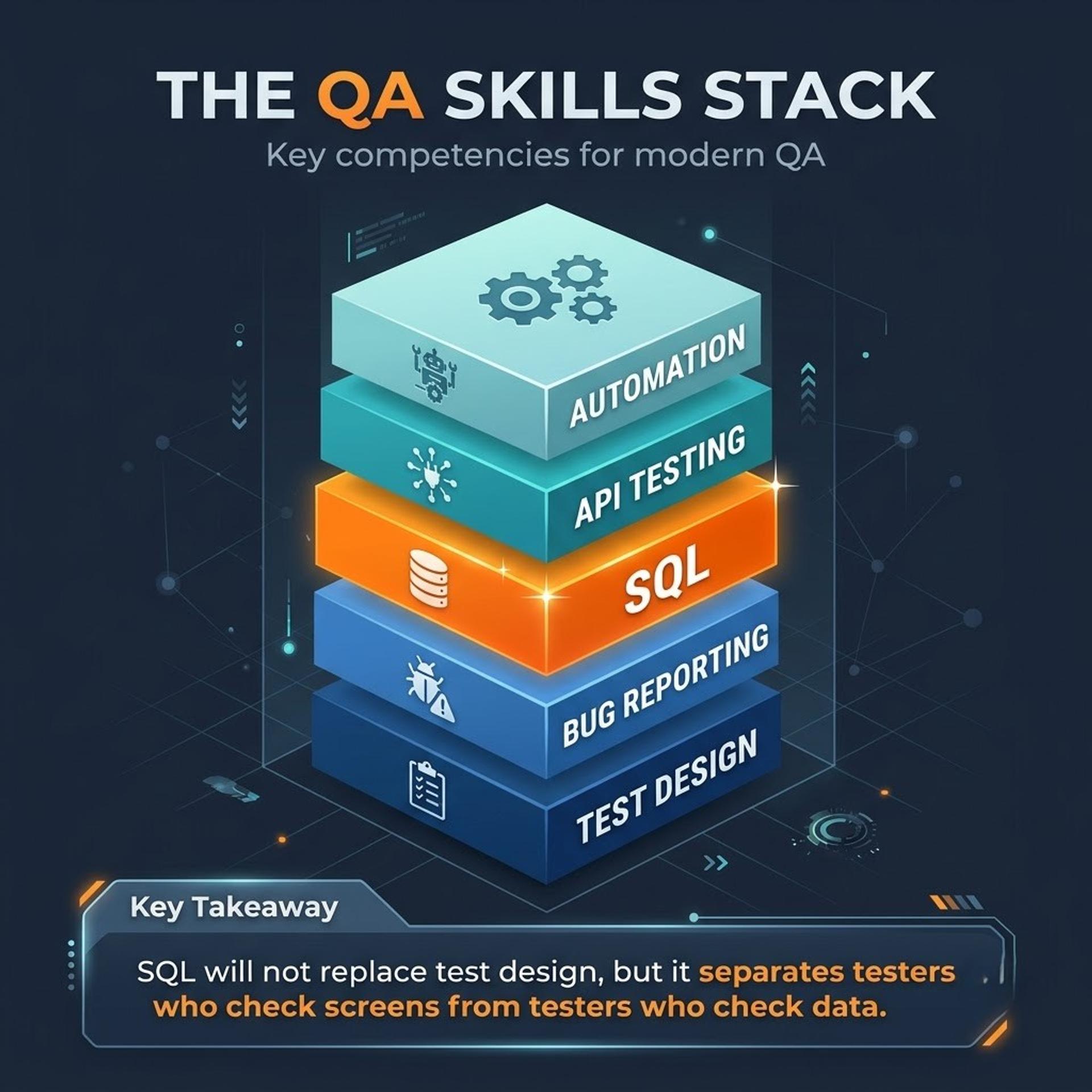
SQL alone will not get you hired. It works best beside strong test design, clear bug reports and tools like Jira. But it lifts you above freshers who can only test what they see. Testers who later add automation, for instance through advanced manual and automation testing, often find more role options open to them.
The 15 SQL Queries Every QA Tester Should Know
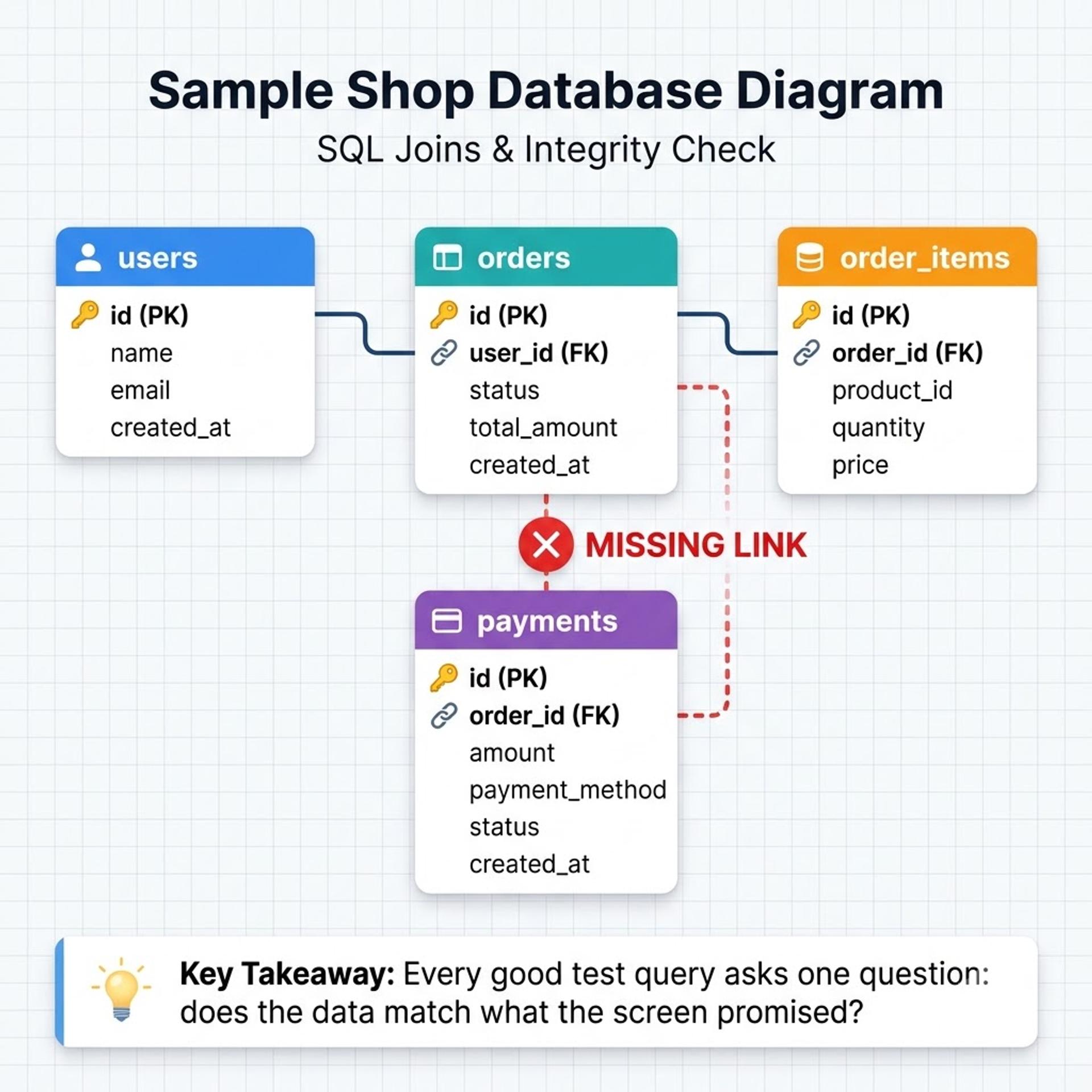
Data validation using SQL follows one simple pattern: perform an action in the app, then query the database to see what really changed. The 15 SQL queries for QA testers below follow that pattern. They use this sample shop database:
users(id, name, email, city, status)orders(id, user_id, status, total_amount, created_at)order_items(id, order_id, product_id, quantity, price)payments(id, order_id, amount, status)
Run them in MySQL Workbench with the free MySQL Community Server, or in any online SQL playground. Start from the top. The queries move from looking at data, to filtering and counting, to comparing tables.
Reset test data to repeat a scenario (test database only).
Concept demo: catching a paid order with no payment. You pay for three test orders. The dashboard says all three are PAID. Does the payments table agree?
Read it line by line:
FROM orders AS ostarts with every order.LEFT JOIN payments AS p ON p.order_id = o.idattaches the matching payment. If none exists, the payment columns come back as NULL.WHERE o.status = 'PAID'keeps only orders the app calls paid.AND p.id IS NULLkeeps only those with no matching payment.
Expected output:
Order 1043 is your bug. The app says PAID, but no payment exists. An INNER JOIN would have hidden this order completely, which is why LEFT JOIN is a tester’s best friend.
Database testing for beginners gets easier when you practise on the same tables again and again. If you prefer a trainer to explain keys and joins live, structured practice in database management with MySQL can speed things up. Check the syllabus on the course page first.
SQL Practice Tips, Common Mistakes and Safe Testing
Beginners learning SQL for testers usually stumble in the same five places. Avoid these and you will progress faster than most.
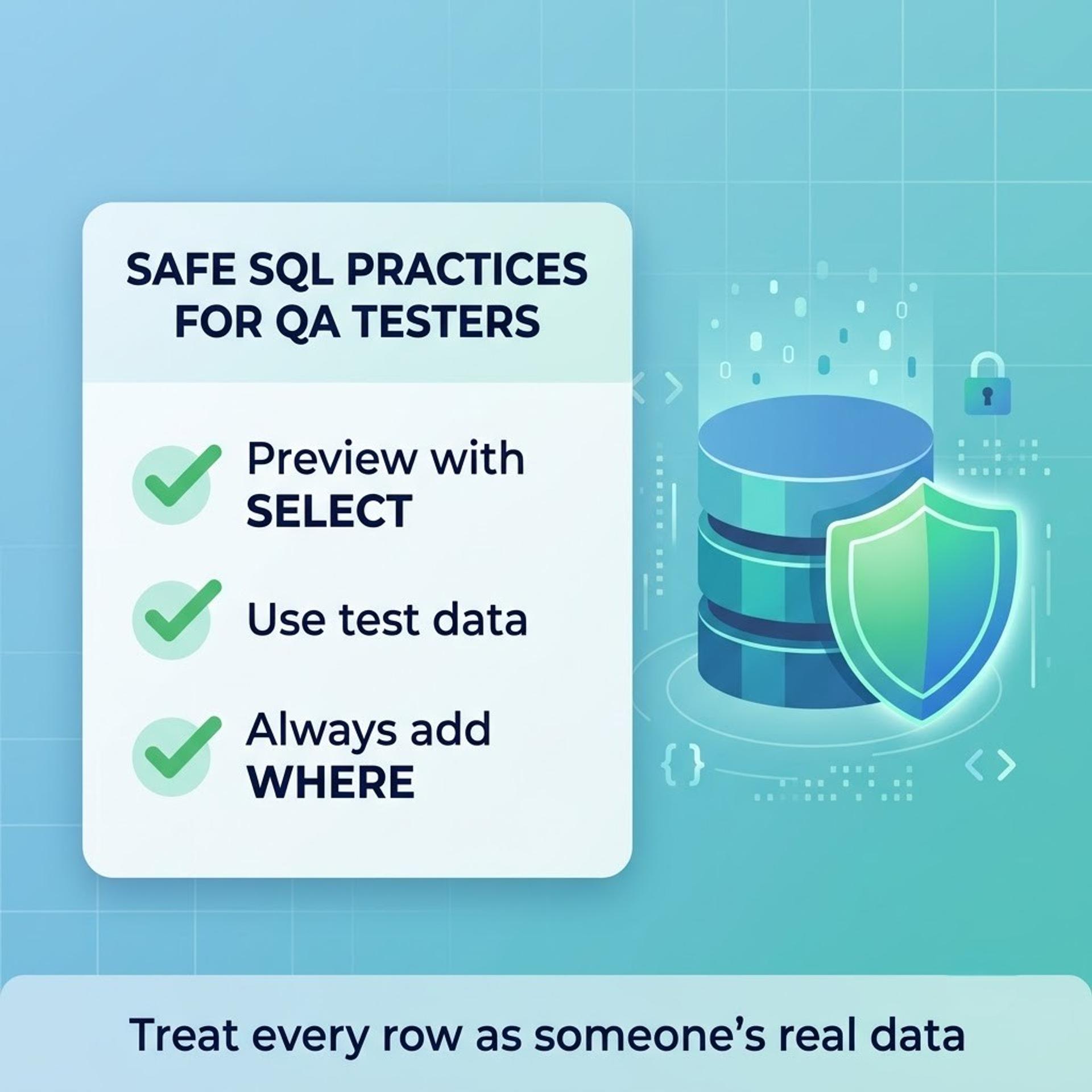
- Run SELECT before UPDATE or DELETE. Write the
WHEREclause first, preview the rows with a SELECT, then make the change. AnUPDATEwithoutWHEREchanges every row in the table. - Avoid
SELECT *on big tables. Name the columns you need and addLIMIT. Your results stay readable and the database stays happy. - Learn the table relationships first. Ask your team for the ER diagram, or find the primary and foreign keys, before writing a join. A wrong join column gives results that look right but are not.
- Use LEFT JOIN when hunting missing data. INNER JOIN drops rows with no match, so it hides exactly the bugs you are looking for.
- Connect every query to a test scenario. After a call in API testing with Postman, a quick query confirms the record really exists in the database. Practise this API-then-database habit and your bug reports will become sharper.
A note on responsible practice. Real databases hold personal data: names, phone numbers, addresses and payment details. Use test or masked data wherever possible. Never copy customer records to personal laptops or chat groups, and follow your employer’s access rules. India’s Digital Personal Data Protection Act, 2023 makes careless handling a legal risk, not just bad manners. Testing for SQL injection is a separate security skill, so do it only with written permission.
From SQL Beginner to Job-Ready QA: A Realistic Roadmap
Strong SQL for testers opens several doors: junior QA tester, QA engineer, automation tester, ETL or data tester, and later data analyst or BI roles. Not every path needs deep SQL. If you are aiming mainly at UI or game testing, basic queries may be enough for now. If your goal is data science, SQL is only the first step, and you will need Python and statistics too.
Here is a realistic plan if you practise 30–45 minutes a day. These timelines are approximate and depend on your starting point.
- Weeks 1–2: Queries 1–7. Learn SELECT, WHERE, ORDER BY, COUNT, DISTINCT and LIKE.
- Weeks 3–4: Queries 8–14. Add subqueries, GROUP BY, HAVING and joins.
- Weeks 5–6: Practise safe INSERT and UPDATE statements on a test database. Build a small mini-project and rehearse SQL interview questions for testers with a friend.
- After that: Add API testing, then automation or ETL testing.
SQL is the base of ETL testing, where you compare data between a source system and a target database. That makes an ETL testing course a logical next skill once joins feel natural. Check each course page for the current syllabus before you enrol.
At Cinute Digital, learners can choose live online or classroom batches, with hands-on projects, mock interviews, resume support and placement assistance. No institute can promise you a job. Your practice and your portfolio decide the outcome. Once you can explain the 15 SQL queries for QA testers in this guide to a friend, you are well on your way.
Conclusion: Start With Five Queries Today
If you remember only three things, make them these. First, SQL for testers is about checking data, not building databases. Second, 15 queries cover most daily QA tasks, from a simple SELECT to LEFT JOIN checks for missing records. Third, safe habits matter as much as syntax: preview first, use test data and respect privacy. Data validation using SQL is a skill you can build in weeks, not years.
Open your SQL tool today and run queries 1 to 5 on any sample database. Tomorrow, add five more. In a few weeks, the interview question that froze you in our opening scene will feel routine. If you would like a trainer to guide you, you can book a free demo class and see how we teach. Either way, start small and keep going. Every strong QA engineer once stared at their first SELECT.
Frequently Asked Questions
1. What is SQL for testers?
SQL for testers means using simple database queries to check that an application stored data correctly. After you place an order, register a user or call an API, you run a query to confirm the record was saved, changed or deleted as expected. Testers mostly use SELECT, WHERE, COUNT, GROUP BY and JOIN. You read and verify data. You do not need to build databases or write application code.
2. How to use SQL in software testing?
Follow a simple pattern: perform an action in the app, then query the database to see what changed. For example, register a test user, then run SELECT * FROM users WHERE email = 'asha@example.com'; to confirm one correct record exists. Use COUNT to compare totals, GROUP BY to summarise, and LEFT JOIN to find missing records. Always work on a test database and preview with SELECT before any UPDATE or DELETE.
3. Is SQL required for software testing?
It is not required for every testing job, but it is strongly useful. Roles that touch data, such as manual QA for apps, API testing, automation and ETL testing, commonly expect it, so check job listings for roles you want. If you aim only at UI or game testing, basic queries may be enough for now. SQL alone will not get you hired. Pair it with test design, bug reporting and tools like Jira.
4. How long does it take to learn SQL for testing?
With 30-45 minutes of daily practice, a realistic target is roughly four to six weeks to get comfortable with the 15 core testing queries. This is approximate and depends on your starting point. A common order is basic SELECT and filters in weeks one and two, then GROUP BY and joins, then safe UPDATE statements and mock interview questions. Consistent practice on a sample database matters more than speed.
5. How much SQL does a QA tester need to know?
For most entry-level QA roles, the basics are usually enough: SELECT, WHERE, ORDER BY, COUNT, DISTINCT, LIKE, GROUP BY, HAVING, and INNER and LEFT joins. Add subqueries and safe UPDATE statements for test data setup. The 15 queries in this guide cover these. Senior SDET or ETL testing roles may need more, such as complex joins and larger data comparisons, so check the job description for the role you want.
Tags

A Manual Tester in TESTRIQ QA LLP and also as Corporate Trainer with CDPL. With a focused career in training and development.