
API Testing with Postman: Step-by-Step Guide for Freshers


API testing with Postman is one of the fastest skills a QA fresher can learn. This guide explains APIs with a Mumbai café analogy and walks you through a 10-minute demo. You also get approximate pay ranges, common mistakes and a month-wise roadmap.
A beginner-friendly walkthrough of sending requests, reading responses and writing your first checks in Postman, plus a realistic QA career roadmap.
API Testing with Postman: Step-by-Step Guide for Freshers
Picture Rohan, a 2026 graduate from Mira Road. He applies for a junior QA role in Andheri and spots one line in the job description: "API testing using Postman." He has tested websites by clicking buttons. He has never touched an API. The interview call is in three days.
If that sounds familiar, relax. API testing with Postman is easier than it sounds, because Postman lets you send a request and read the reply without building an app. This guide, written by the trainers at Cinute Digital, takes you from your first request to your first automated check. You will learn what an API is, why recruiters ask about it, how to test one step by step, and which beginner mistakes to avoid. You will also try a demo that takes about ten minutes.
Ready? Let us start with the question every fresher asks first: what exactly are we testing?
API testing with Postman means sending HTTP requests, such as GET or POST, to an API and checking the status code, response body and speed. You pick the method, enter the URL, add any headers or data, click Send, and then write small test scripts to verify the reply automatically.
What Is an API, and What Does Postman Do?
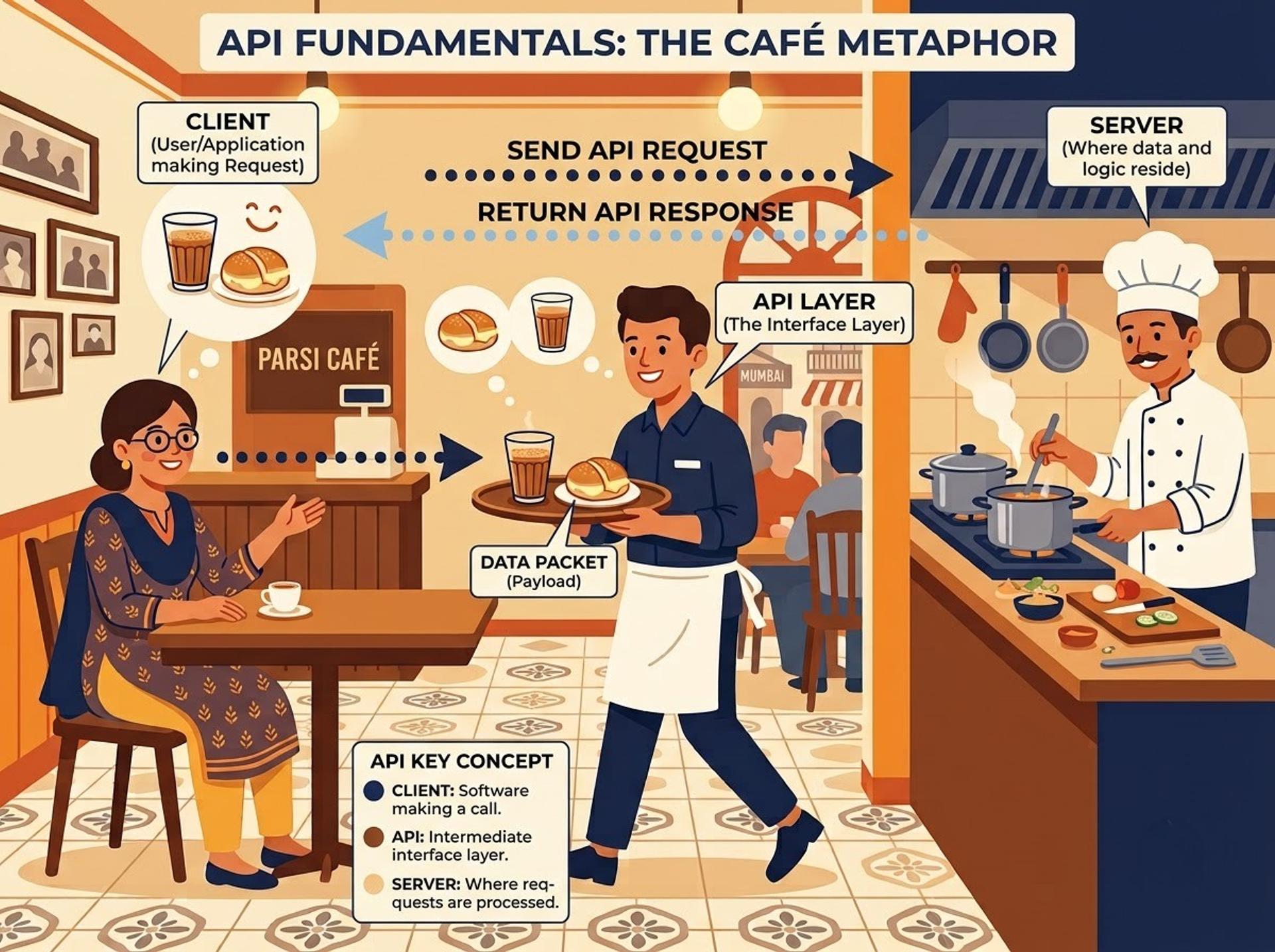
Think of an Irani café in Mumbai. You sit down, read the menu and tell the waiter, "One bun maska and chai." The waiter walks to the kitchen, returns with your order, and you never see the stove. An API (Application Programming Interface) is that waiter. It carries your request to a server and brings the reply back.
When you pay by UPI, check a train status or track a food order, an app is calling APIs behind the screen. The most common style today is the REST API. It uses web addresses and HTTP methods that read almost like English:
- GET fetches data.
- POST creates new data.
- PUT or PATCH updates existing data.
- DELETE removes data.
Every request has four parts: a method, a URL, optional headers (extra details such as content type) and an optional body (the data you send, usually JSON). The server replies with a status code, such as 200 for success or 404 for not found, plus a response body and headers.
Postman is a tool that lets you build these requests and read the replies without writing code. You type, click Send and see exactly what the server said. That makes it the natural starting point for any Postman tutorial for beginners. You can also save requests and re-run checks whenever the API changes.
Good API testers still think like good manual testers. They design test cases, hunt for edge cases and report bugs clearly. A manual software testing course builds those habits before you add any tools on top.
Why API Testing with Postman Matters for Freshers in India
Most apps you use daily, from UPI payments to food delivery, depend on APIs. When an API breaks, the app breaks, even if the screen looks perfect. That is why companies test APIs separately from the user interface.
In general, QA job listings in metros such as Mumbai, Pune and Bengaluru often mention API testing, Postman and SQL together. You can check this yourself. Search "QA engineer" on Naukri or LinkedIn and read ten job descriptions. This is a general observation, not a statistic. It also explains why API testing for freshers is a practical entry point: you can learn the basics in weeks, and it needs little coding.
Here are typical roles. All pay figures are approximate — verify with a keyword/industry tool such as Naukri, Glassdoor or LinkedIn Salary.
Pay varies widely by company, city and skill depth. Treat the ranges as a rough guide only.
Many testers begin with Postman and later move to code-based frameworks. Structured automation testing training covers that step, and the course page lists topics such as Selenium WebDriver and Jenkins-based CI/CD. Confirm the current syllabus on the page.
How API Testing Works: Your First Postman Test
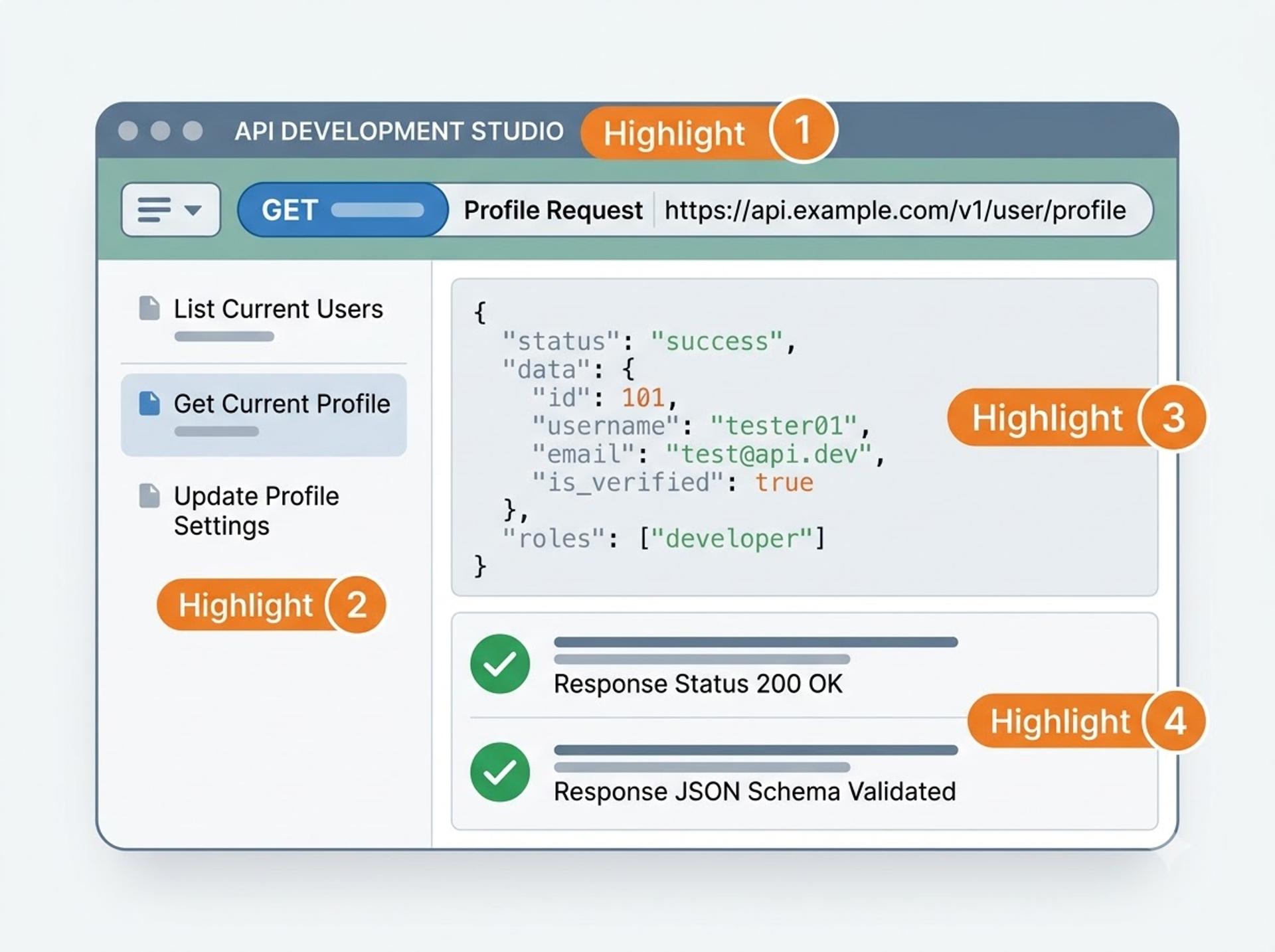
Let us walk through how to test a REST API in Postman using a free practice service. JSONPlaceholder is a public fake API built for learning. Nothing you send is stored permanently, so you cannot break anything.
- Open Postman (desktop app or web version). Create a collection named "Fresher API Practice".
- Add a new HTTP request. Set the method to GET and paste
https://jsonplaceholder.typicode.com/posts/1as the URL. - Click Send. Check three things: the status code, the response time and the JSON body.
- Open the Tests tab and paste the script below.
- Click Send again and open the Test Results tab.
Menu names in Postman change with updates, so your screen may look slightly different.
Postman test scripts are short JavaScript snippets that run after the response arrives. Here is a small one:
Here is what each part does:
pm.test("...", function () {...})creates a named test. The name appears in your results.pm.response.to.have.status(200)passes only if the status code is 200.pm.response.json()converts the response body into a JavaScript object.pm.expect(body).to.have.property("id", 1)checks that the keyidexists and equals 1.pm.expect(body.title).to.be.a("string")checks thattitleis text.
Expected output: The Test Results tab shows two passed tests: "Status code is 200" and "Response has id and title".
Now try a POST. Change the method to POST and use https://jsonplaceholder.typicode.com/posts. Open Body, choose raw and JSON, and enter a small object with title, body and userId. The service replies with 201 Created and a made-up id, without saving anything. The MDN HTTP status code reference explains each code in plain language.
Once you have several requests, move the base URL into a variable such as {{baseUrl}}. Postman collections and environments turn a pile of requests into a reusable test suite. You can then switch between test and staging servers by changing one setting.
Here is how Postman compares with other common tools:
If you want guided practice with a trainer, the API testing using Postman and RestAPIs course page lists Postman, Swagger, Rest Assured and JSON/XML validation. Check the page for current duration and syllabus.
Common Beginner Mistakes and Responsible Practice
Almost every fresher repeats the same five errors. Avoid them and you will stand out in interviews.
- Checking only the status code. A 200 response can still carry wrong data. Always assert on body fields too.
- Testing only the happy path. Send missing fields, wrong data types and invalid tokens. Then confirm the API returns a sensible error, such as 400 or 401.
- Hard-coding URLs and tokens. Use variables, so one change updates every request.
- Forgetting the database. After a POST, you should confirm the data actually landed. Learning SQL and MySQL basics gives you that power, because SQL is how you check what the API wrote.
- Ignoring response time and error messages. A correct but very slow API is still a defect worth reporting.
A note on responsible practice. Test only APIs you own or have written permission to test. Do not run heavy loops against a live production system or someone else's service. Keep API keys, tokens and passwords out of shared collections and screenshots. Use dummy data instead of real customer records, and respect data-protection rules such as India's Digital Personal Data Protection Act, 2023.

Career Path and Learning Roadmap
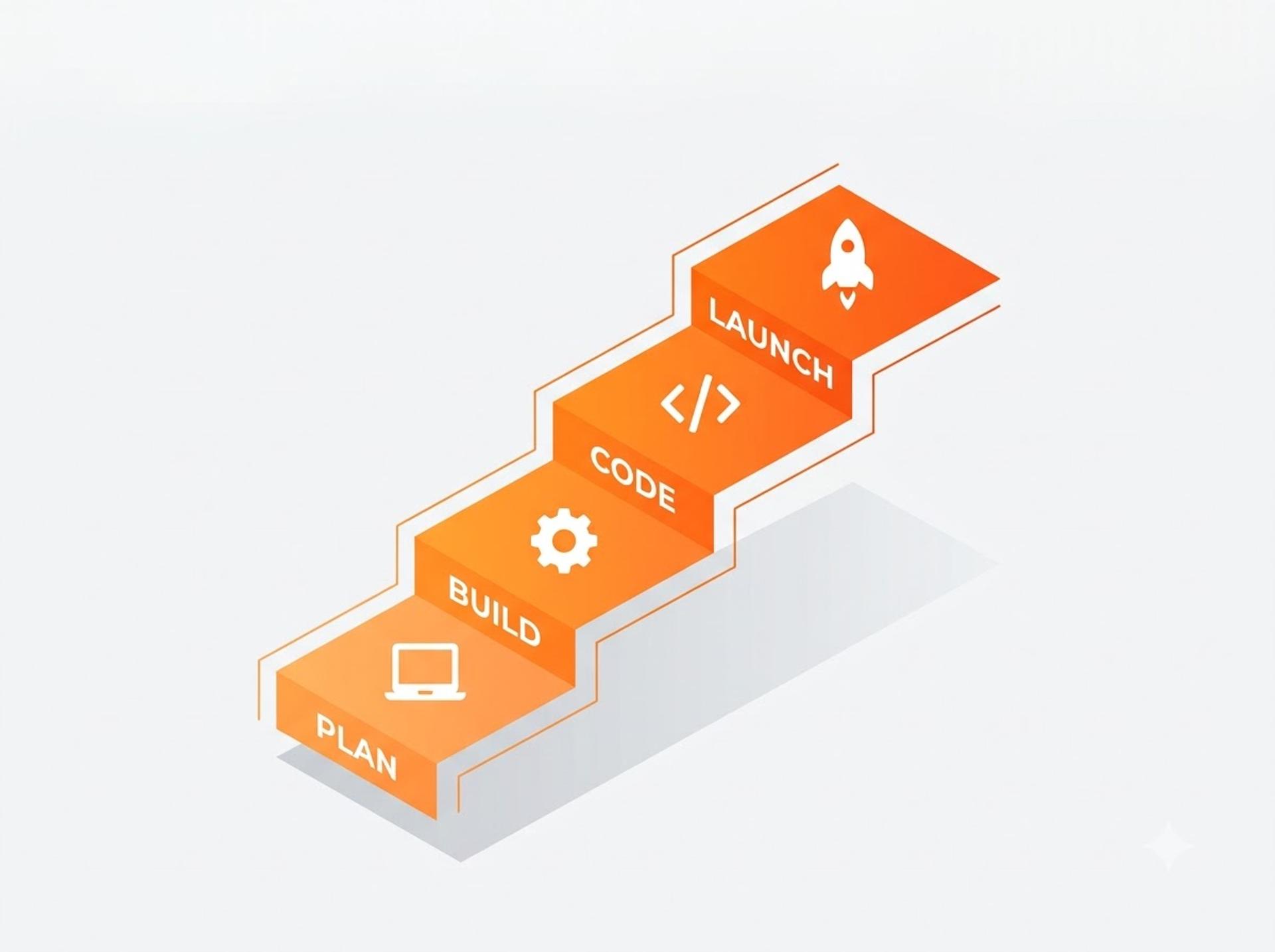
API testing can lead to roles such as junior QA engineer, API tester, automation test engineer and, later, SDET. Here is a realistic roadmap if you practise one to two hours a day. All timelines are approximate and depend on your effort.
- Weeks 1–3: Testing basics, HTTP, JSON and your first Postman requests.
- Weeks 4–6: Test scripts, collections, environments and SQL checks.
- Weeks 7–12: Basic Java or JavaScript, then a code-based framework. Newman, Postman's command-line runner, lets you run collections in CI pipelines.
- Months 4–6: One portfolio project, resume work and mock interviews.
Rest Assured is a Java library for API automation, so Java fundamentals are the bridge from Postman to code. A Java programming course is a logical next step once Postman feels comfortable.
Keep the official Postman Learning Center open while you practise. Its documentation is the most reliable reference for current features and syntax.
Most freshers need roughly three to six months of steady practice to feel interview-ready (approximate). No course or tool can guarantee a job, so build small projects you can show.
Conclusion
Let us recap the three points that matter most. First, an API is the waiter between an app and its server, and testing means checking every order and reply. Second, API testing with Postman follows a simple loop: send a request, read the response and add checks. Third, avoid the classic mistakes by testing errors, using variables and verifying the database.
If you want trainer-led practice, mock interviews and resume support, you can book a free demo class and ask about placement assistance. Until then, open Postman today, send that first GET request and read the response. Every tester you admire started exactly there.
FAQ Section
1. What is API testing with Postman?
API testing with Postman means checking an application's back-end services using Postman, a tool for sending HTTP requests. You choose a method such as GET or POST, enter the URL, add headers or a JSON body, and click Send. Then you verify the status code, response data and speed. Small test scripts can repeat these checks automatically every time the API changes.
2. How to test a REST API in Postman?
Create a new request, select the method and paste the endpoint URL. Add headers or a JSON body if needed, then click Send. Check the status code, the response body and the response time. Next, open the Tests tab and write short scripts using pm.test and pm.expect to automate those checks. Save requests in a collection and use environment variables for URLs and tokens.
3. Is Postman free to use for learning?
Postman has offered a free plan that is enough for beginners to send requests, write tests and organise collections. Paid plans add team and enterprise features. Plans, limits and prices change over time, so check the official Postman pricing page before you decide. For practice, a free account and a public practice API such as JSONPlaceholder are usually sufficient.
4. How long does it take to learn API testing with Postman?
Most freshers can learn the basics, such as sending requests and reading responses, in about two to four weeks of steady daily practice. Writing reliable test scripts, using environments and checking databases may take another month or two. These timelines are approximate and vary with your background, practice time and how much hands-on work you do.
5. Is API testing a good career for freshers?
It suits freshers who enjoy logic, checking details and learning tools step by step. It may not suit you if you want to avoid technical topics entirely. Many people start in manual testing, add API testing and SQL, then move to automation. Alternatives include data analytics or development. No skill guarantees a job, so build projects and practise interviews.
Tags

A Manual Tester in TESTRIQ QA LLP and also as Corporate Trainer with CDPL. With a focused career in training and development.