
Prompt Engineering Examples for Students and Freshers
Getting vague answers from ChatGPT, Claude or Gemini? Learn a simple four-part prompt formula and copy 20 ready-to-use prompts for studying, Python, software testing and job hunting.
Prompt engineering is the skill of asking AI the right way. This beginner-friendly guide explains the Role + Task + Context + Format formula and gives you 20 copy-paste prompts for study, Python, software testing, data work and careers. It also covers common mistakes and FAQs, and is perfect for students and freshers.
You open ChatGPT, type 'explain Python,' and get a long, generic answer that does not help. Sound familiar? The problem is rarely the AI. It is usually the prompt. Good prompt engineering examples show how a few extra words, like who the AI should act as and how the answer should look, can change the result completely.
In this guide, you will learn a simple four-part prompt formula and get 20 copy-paste prompts for studying, Python, software testing, data work and job hunting. It is written for students, freshers and career changers who want better AI answers from day one. No coding background is needed.
What Is Prompt Engineering?
Prompt engineering is the skill of writing clear, structured instructions so an AI model gives the answer you actually need. A good prompt states the task, gives context, sets limits and asks for a specific format. It turns a vague request into a precise one.
Think of ordering food. Saying 'give me something to eat' gets a random dish. Saying 'one paneer wrap, less spicy, no onions, packed to go' gets exactly what you wanted. A prompt works the same way: the clearer your order, the better the result.
Why Is Prompt Engineering Important?
- Accuracy: Specific prompts reduce wrong or generic answers.
- Speed: You spend less time rewriting and re-asking.
- Learning: You get explanations at your own level, in your own words.
- Career value: Many teams in IT, testing, data and marketing now use AI tools daily, so clear prompting is a useful skill to have.
The 4-Part Formula Behind Good Prompt Engineering
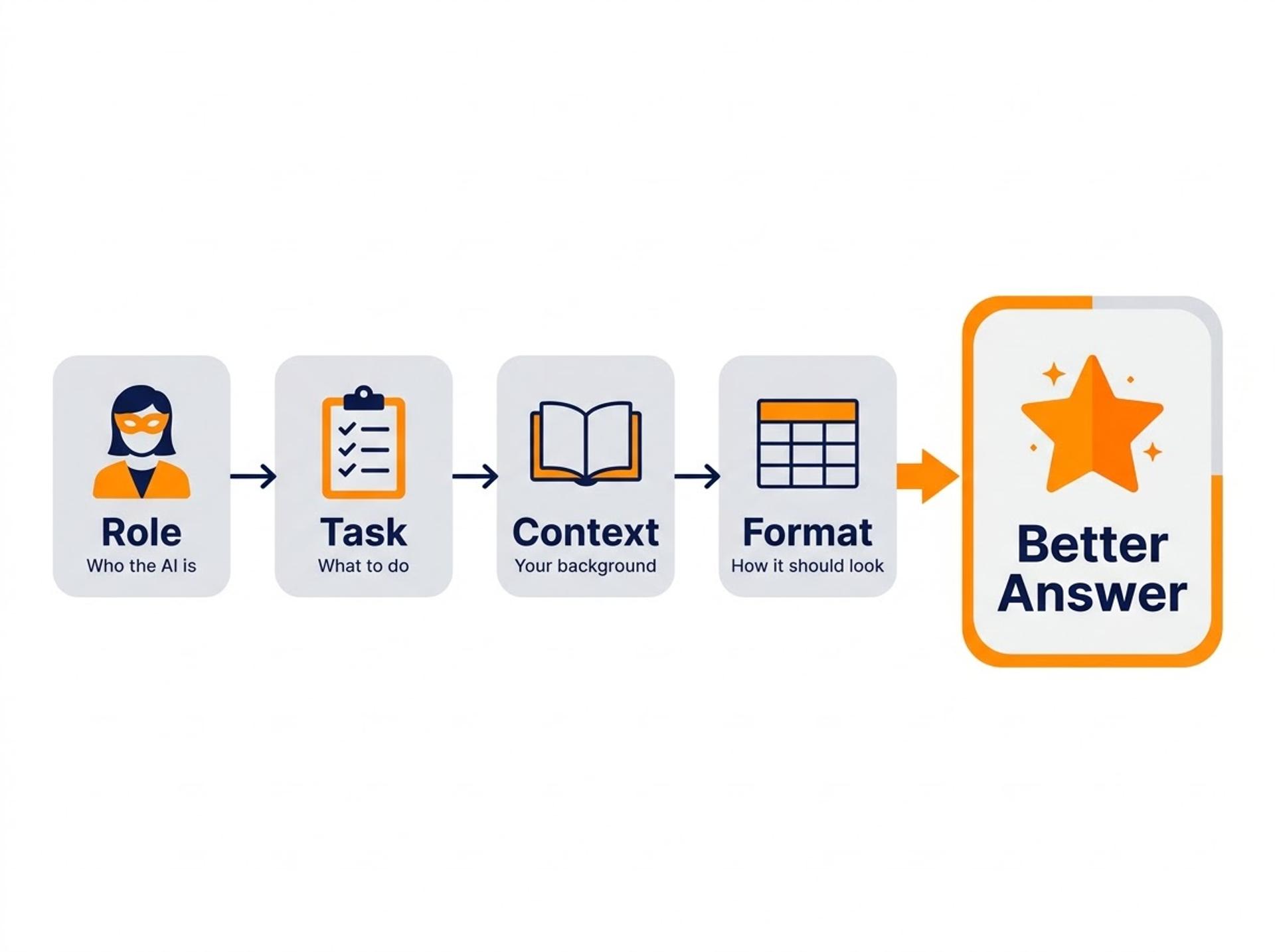
Every example in this guide follows one formula: Role + Task + Context + Format. Here is how each part works.
Prompt Engineering Basics: Role and Task
The role tells the AI who to act as. The task tells it what to do. Think of briefing a new intern: you name the job first, then the exact work.
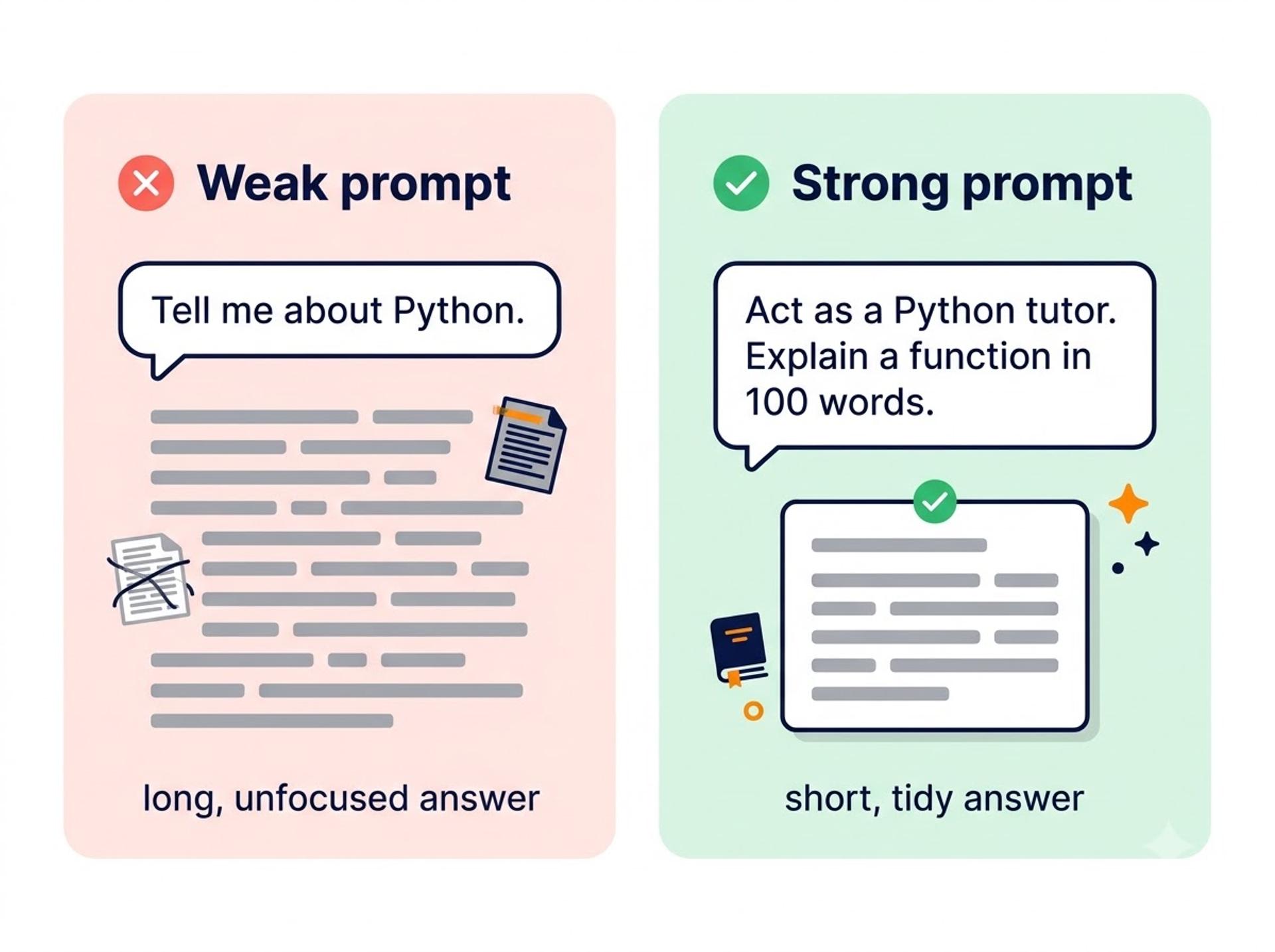
- Weak prompt:
Tell me about Python. - Strong prompt:
Act as a Python tutor for beginners. Explain what a function is in 100 words.
The strong version returns a short, beginner-friendly explanation instead of a long, unfocused essay. Support, QA and analytics teams use role prompts to keep AI answers on topic.
Prompt Engineering for Beginners: Context and Format
Context is the background about you and your goal. Format is how the answer should look. A tailor needs your measurements and the style you want, and an AI needs the same two things.
I am a final-year BCA student preparing for a QA interview. Give me 5 questions on test cases as a numbered list.
The AI replies with five interview-level questions, neatly numbered and easy to copy. Analysts often ask for tables so the output can go straight into a report.
How to Write AI Prompts as Reusable Templates
A prompt template is a fill-in-the-blank prompt you can reuse, like a form letter. This short Python function builds one:
Developers use templates like this inside apps that send prompts to AI models through an API. New to Python? Start with our Python OOP concepts guide or join the Python Programming course.
20 Prompt Engineering Examples You Can Copy and Use Today
Replace the [brackets] with your own details. Each prompt uses the Role + Task + Context + Format formula.
Study and Learning Prompts
- Explain it simply:
Act as a friendly teacher. Explain [topic] to a first-year college student in simple words. Use one real-life analogy and end with 3 quiz questions. - Build a study plan:
Act as a study coach. Create a 7-day plan to learn [topic] with 1 hour of study per day. Show it as a table with day, task and goal. - Summarise notes:
Summarise the notes below in 5 bullet points, then list 3 key terms I should memorise. Notes: [paste notes] - Quiz me:
Ask me 5 multiple-choice questions on [topic], one at a time. Wait for my answer before giving feedback and the correct option. - Check my understanding:
I think [concept] means [your explanation]. Tell me what is right, what is wrong, and give me a corrected version in plain words.
Python and Coding Prompts
- Explain code:
Explain this Python code line by line for a beginner, then tell me what it prints. Code: [paste code] - Debug an error:
This Python code gives the error [error message]. Find the cause, fix it and explain what you changed in two sentences. Code: [paste code] - Get practice questions:
Give me 5 Python practice questions on [loops/functions], from easy to medium. Do not show the answers until I ask. - Improve readability:
Review my code for readability. Suggest 3 improvements that a beginner can understand, and show the updated code. Code: [paste code] - Convert code:
Rewrite this loop as a list comprehension and explain the difference in two sentences. Code: [paste code]
Software Testing and Data Science Prompts
- Write test cases:
Act as a QA engineer. Write 8 test cases for a login page with email and password. Use a table with ID, scenario, steps and expected result. - Create a bug report:
Turn these rough notes into a clear bug report with title, steps to reproduce, expected result, actual result and severity. Notes: [paste notes] - Draft a pytest test:
Write a simple pytest test for a function that [describe function]. Include one passing case and two edge cases, with comments. - Clean a dataset:
I have a CSV with missing values and duplicate rows. List the steps to clean it in Pandas, with a short code snippet for each step. - Write a SQL query:
Write a SQL query to find the top 5 customers by total sales from the tables [table names]. Explain each clause in one line.
For prompt 14, our beginner guide to cleaning data shows what each cleaning step does.
Career and Communication Prompts
- Write resume bullets:
Rewrite these project details as 3 resume bullet points that start with action verbs. Do not add any facts I have not given. Details: [paste details] - Practise a mock interview:
Act as an interviewer for a fresher [QA / data analyst] role. Ask one question at a time, then rate my answer out of 10 with feedback. - Draft a follow-up email:
Write a short, polite follow-up email to a recruiter after my interview for [role]. Keep it under 100 words. - Improve your LinkedIn headline:
Write 3 LinkedIn headline options for a fresher in [field], each under 120 characters. Use these skills: [skills]. - Find portfolio ideas:
Suggest 3 beginner portfolio projects in [Python / data analytics / testing] that I can finish in two weeks. Include tools and the expected result.
Want guided practice with expert feedback? Explore our Prompt Engineering with Gen AI course and build prompts for real projects.

Real-World Applications of Prompt Engineering
- Software development: Developers use prompts to explain, draft and review code faster.
- Software testing: QA teams use prompts to draft test cases, test data and bug reports, then review the results by hand.
- Data analysis: Analysts use prompts to plan cleaning steps, write SQL queries and summarise findings.
- Digital marketing: Marketers use prompts to brainstorm campaign ideas, ad copy variations and content outlines.
Best Practices for Prompt Engineering
- Be specific: Name the topic, your level and the length so the AI does not have to guess.
- Give context: Share your goal and background to get answers at the right level.
- Ask for a format: Tables, steps and bullet lists are easier to use than long paragraphs.
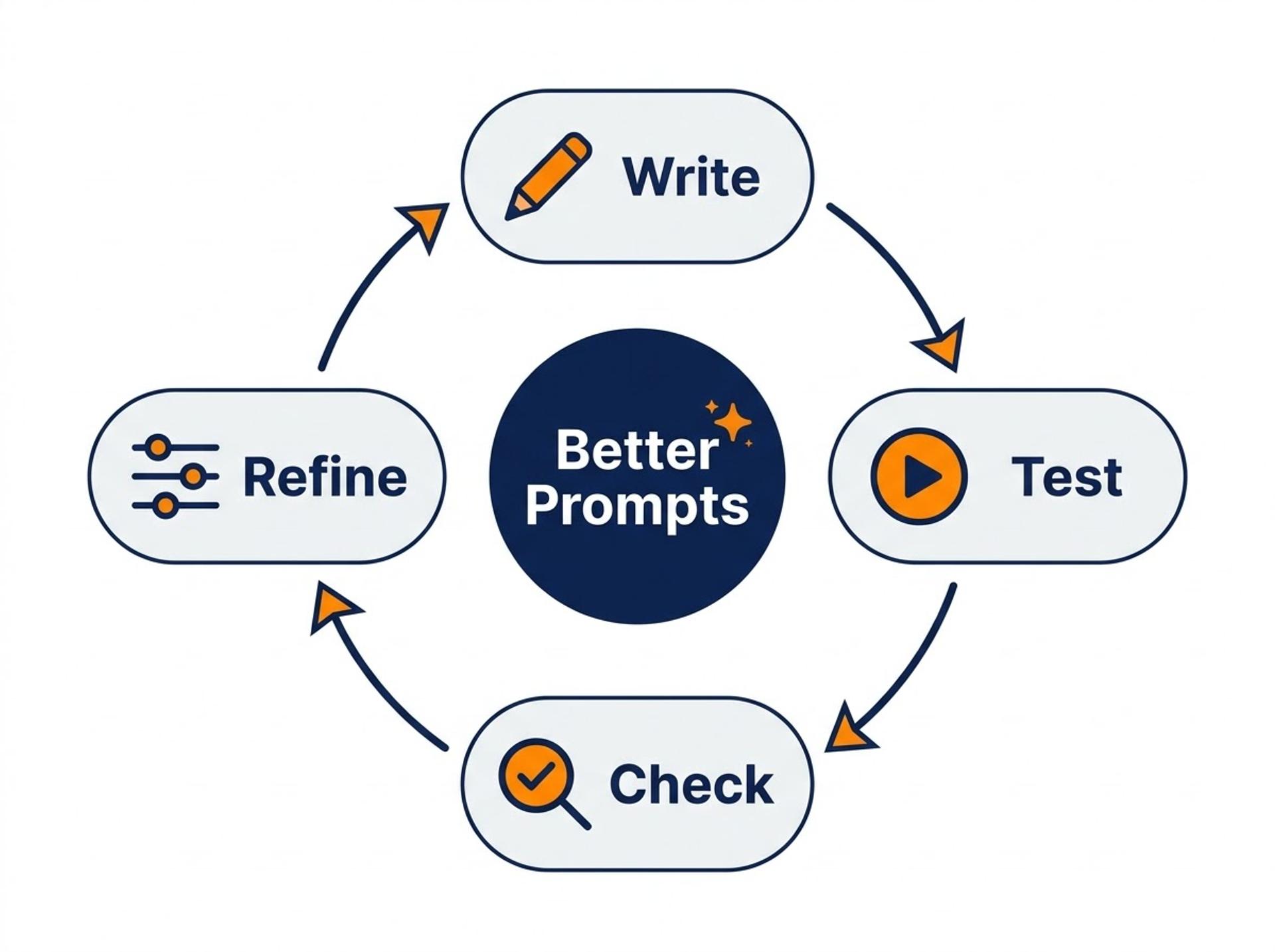
- Improve step by step: If the answer misses, change one detail and try again instead of starting over.
- Verify the output: AI can sound sure and still be wrong, so check facts, code and numbers yourself.
For more techniques, read the official guides from Anthropic and OpenAI.
Common Mistakes Beginners Make
- Writing one-line prompts: Add a role, context and format before you hit enter.
- Pasting private data: Never share passwords, client data or personal documents. Remove or replace sensitive details first.
- Trusting the first answer: Check the output and ask the AI to explain its reasoning.
- Cramming everything into one prompt: Split big tasks into smaller steps and prompt one step at a time.
Frequently Asked Questions
Q1: What is a simple example of prompt engineering?
A simple example is changing 'Explain loops' into 'Act as a Python tutor and explain for loops to a beginner in 100 words, with one example.' The second version adds a role, a task, a limit and a format, so the AI gives a clearer, more useful answer you can use straight away.
Q2: Can I learn prompt engineering without coding?
Yes, you can learn prompt engineering without coding. Basic prompting only needs clear writing and practice with tools like ChatGPT, Claude or Gemini. Coding becomes useful later, when you want to automate prompts, connect AI to apps or test outputs at scale, and Python is the usual starting point.
Q3: Is prompt engineering a good career for freshers?
Yes, but mostly as a skill inside a bigger role rather than a standalone job. Many career guides advise pairing prompting with Python, data skills or testing knowledge. Build small projects, check AI outputs carefully and show your work in a portfolio to stand out as a fresher.
Q4: What are the main prompt engineering techniques?
The main prompt engineering techniques are zero-shot, few-shot and step-by-step prompting. Zero-shot gives only the instruction. Few-shot adds two or three sample inputs and outputs so the AI copies the pattern. Step-by-step prompting asks the AI to reason in stages, which helps with maths, logic and debugging tasks.
Q5: Do these prompts work on ChatGPT, Claude and Gemini?
Yes, these prompts work on most major AI chatbots, including ChatGPT, Claude and Gemini. The formula of role, task, context and format is not tied to one tool. Results may differ in style and length, so test the same prompt on two tools and keep the version that gives the clearest answer.
Conclusion
These prompt engineering examples all rely on one idea: tell the AI its role, the task, your context and the format you want. Start with the five study prompts, then move on to the Python and testing prompts as you gain confidence. This week, run one prompt a day with your own topic and rewrite it until the answer feels right.
When you want expert guidance, join our Prompt Engineering with Gen AI course or book a free counselling session.
Tags

Cezzane Khan is a dedicated and innovative Data Science Trainer committed to empowering individuals and organizations.