
Manual Testing 101: Test Scenarios, Test Cases, and Test Suites
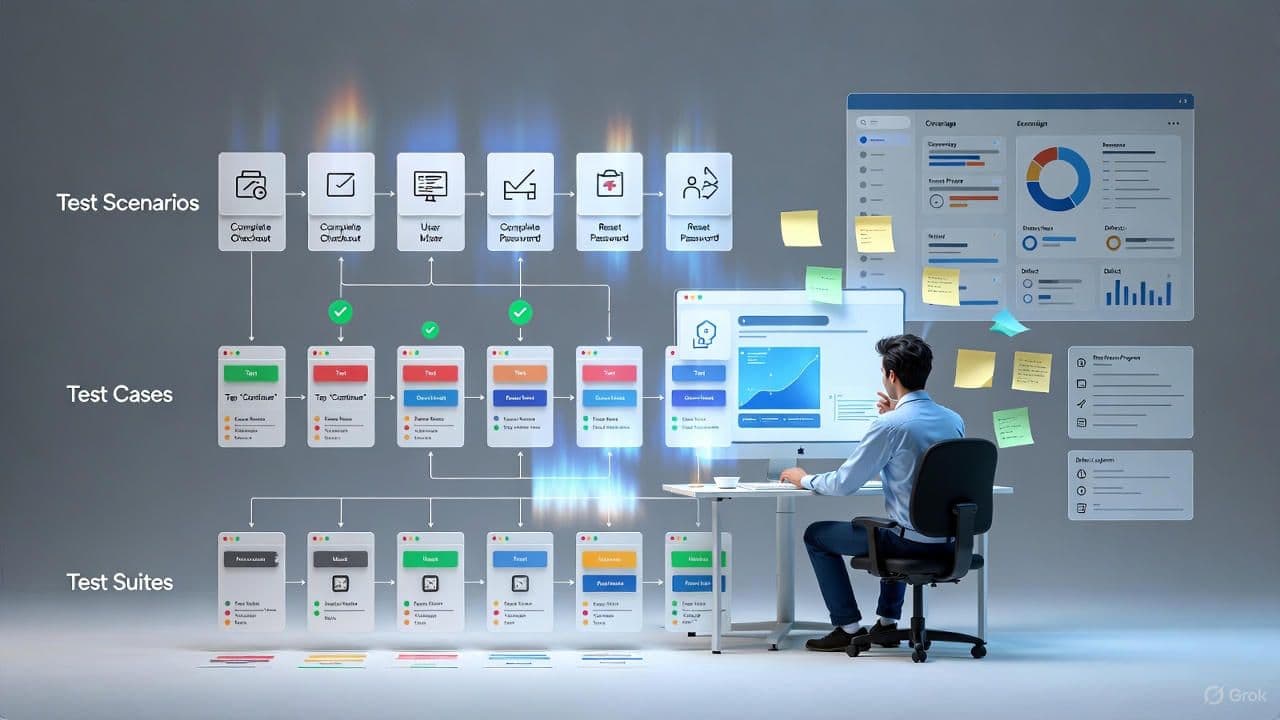
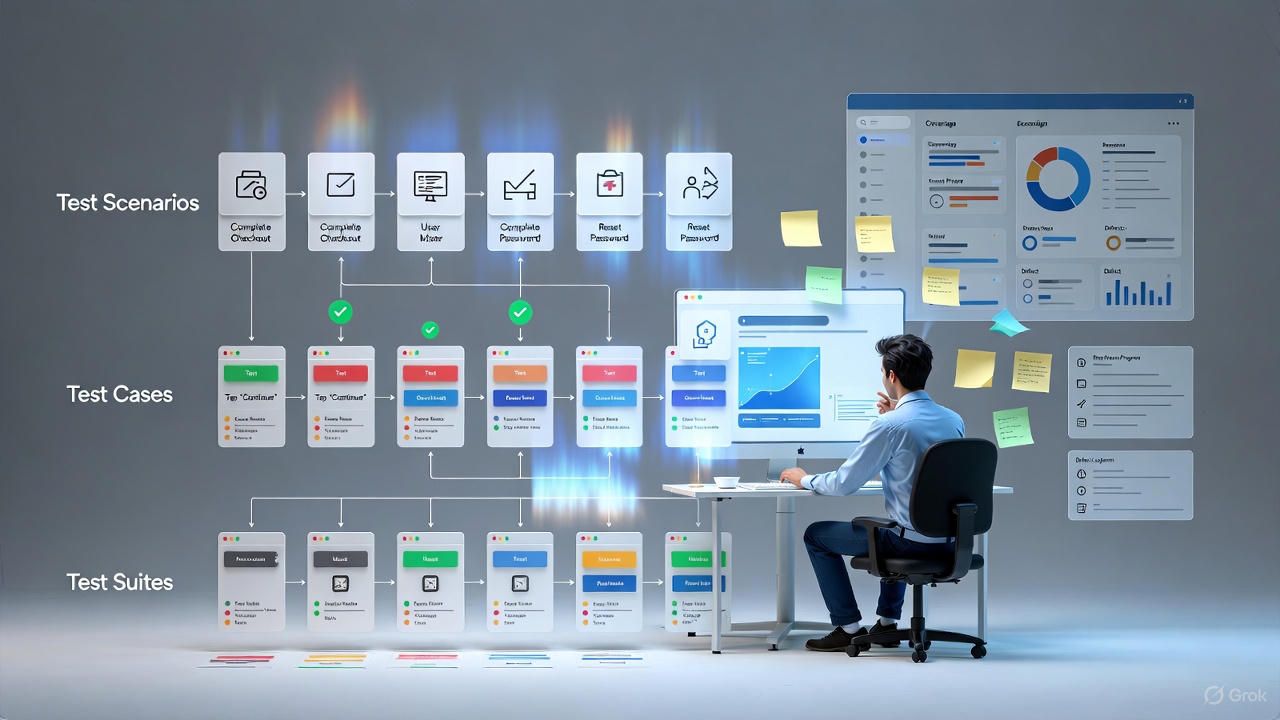
Start manual testing the right way. Understand scenarios vs cases vs suites, write steps that catch real defects, link to requirements, and organize suites that scale with CI and releases.
Learn manual testing fundamentals for CDPL learners and partner teams. Write clear test scenarios, actionable test cases, and maintainable test suites with examples and templates.
Introduction
Manual testing validates software by executing actions as a user would and observing actual results. For Cinute Digital Pvt Ltd (CDPL) learners and partner teams, strong manual testing skills improve product quality, clarify requirements, and reduce costly rework.
This guide explains the differences between test scenarios, test cases, and test suites, then shows how to design each one with clear steps, data, and expected results. You will also learn coverage tracking, prioritization, and reporting practices trusted by modern teams.
Definitions and Core Concepts

- Test Scenario: a user goal or feature level behavior to validate, for example "user checks out with a saved address". Scenarios group related flows.
- Test Case: a repeatable procedure with preconditions, steps, test data, and expected results for a single outcome.
- Test Suite: an organized collection of cases that target a scope such as smoke, regression, or module level coverage.
- Coverage and Traceability: map cases to requirements and risks to ensure important behavior is tested.
How to Write Effective Test Scenarios

Start from user stories, acceptance criteria, and system risks. Keep scenario statements short and outcome focused.
- Follow the format: As a role, I want action, so that value.
- Cover happy paths and edge cases such as invalid inputs, timeouts, and permissions.
- Prioritize scenarios by business impact and failure probability.
Plain English scenario that teams understand
Test Case Template and Writing Guidelines

Use a consistent template so cases are easy to execute and review.
Minimal but complete test case template you can reuse
- Write steps as actions the tester can follow without guessing.
- Keep one clear expected result per outcome. If there are many, split into separate cases.
- Use realistic data and include boundary values.
Designing Test Suites that Scale

Organize cases by purpose so suites are fast to run and easy to maintain.
- Smoke: runs in minutes on every build to catch obvious failures.
- Regression: deeper coverage before release gates. Group by module.
- Exploratory: charter based, time boxed sessions that discover unknown risks.
- UAT: business acceptance with production like data and workflows.
Store suite membership in your test management tool so CI can trigger the right sets automatically.
Traceability Matrix and Prioritization

Link each case to a requirement ID and risk level. This helps leaders at CDPL verify coverage and choose what to run for a given release.
Simple matrix that maps requirements to cases and status
Exploratory Testing Charters

Use structured exploration to find defects that scripts miss.
- Charter example: "Explore checkout error handling with slow network and expired card".
- Record notes, paths taken, and issues found with timestamps and data used.
- Convert valuable findings into repeatable cases and add them to suites.
Bug Reporting that Engineers Love

High quality reports speed up fixes and reduce back and forth.
- Title includes module and symptom, for example "Checkout: payment screen loops on submit".
- Include build version, environment, device or browser, exact steps, actual vs expected, logs or screenshots, and severity.
- Tag with requirement ID and test case ID for traceability.
Common Pitfalls and How to Avoid Them

- Ambiguous steps. Fix by using clear verbs and data examples.
- Oversized cases. Split when there are multiple outcomes.
- No maintenance. Review and retire duplicates every release.
- Only happy paths. Add negative and boundary tests.
- Untracked coverage. Always link cases to requirements and risks.
Recommended Tools for Manual Test Management

Use a tool to store scenarios, cases, and suites with status and history.
- Lightweight: spreadsheets with a shared template and review workflow.
- Test management: tools that support suites, traceability, and CI exports.
- Team stack: ticketing for defects, dashboards for quality KPIs, and storage for evidence.
Checklist for CDPL Learners

- Write scenario statements for each acceptance criterion.
- Create cases with clear steps, data, and results.
- Group cases into smoke and regression suites.
- Maintain a traceability matrix and update status on every run.
- Report bugs with full context and link to the failing case.
Conclusion
Manual testing strengthens product quality when scenarios are meaningful, cases are precise, and suites are organized around risk and release flow. Start with smoke coverage, grow a focused regression suite, and keep traceability visible to the whole team. With these habits, learners and partner teams at CDPL can ship confidently while learning industry grade QA skills.
Tags

Shoeb Shaikh is a seasoned Software Testing and Data Science Expert and a Mentor with over 14 years of experience in the field. Specialist in designing and managing processes, and leading high-performing teams to deliver impactful results.