
Black Box vs White Box Testing in Web App Development
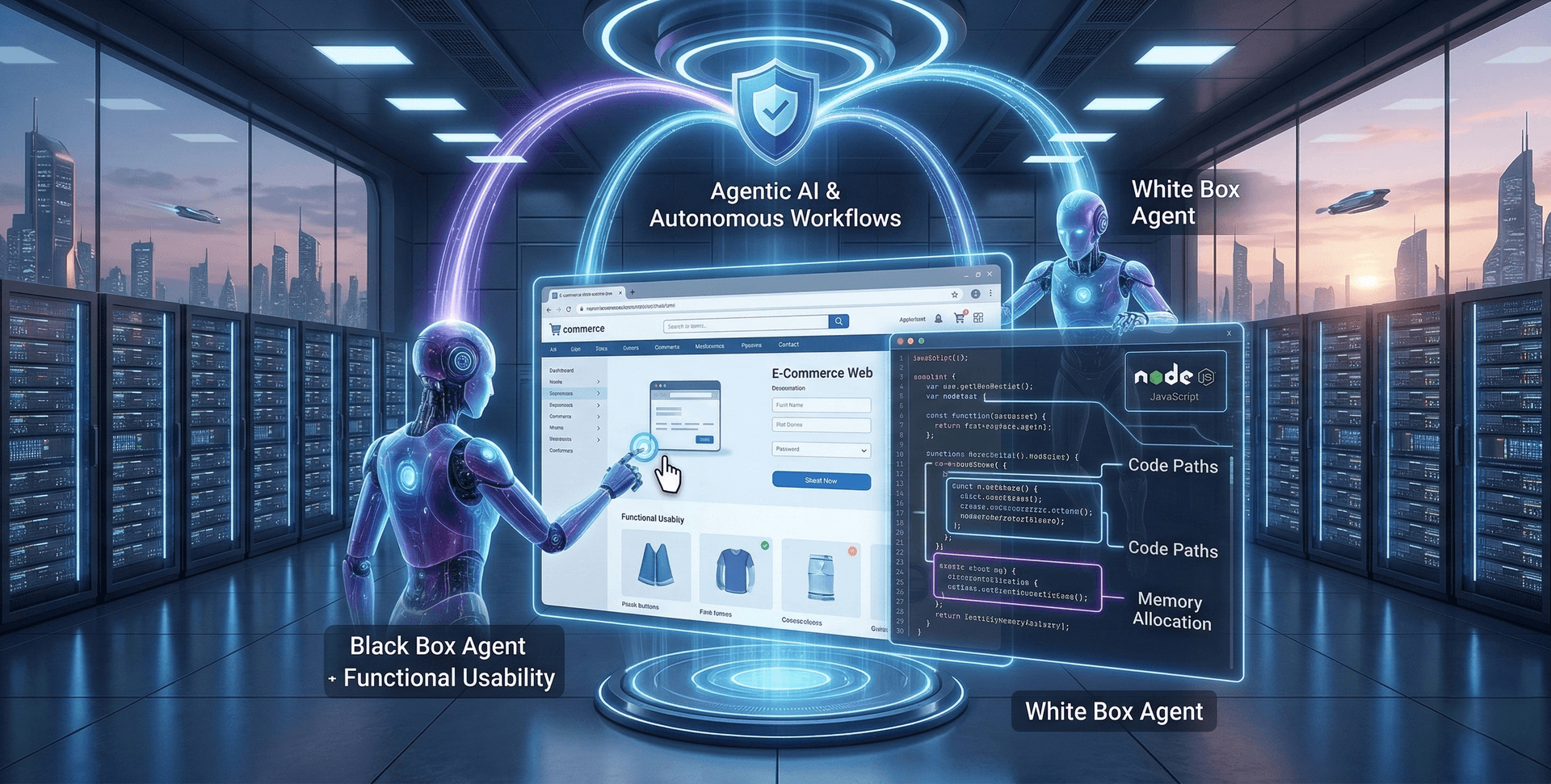
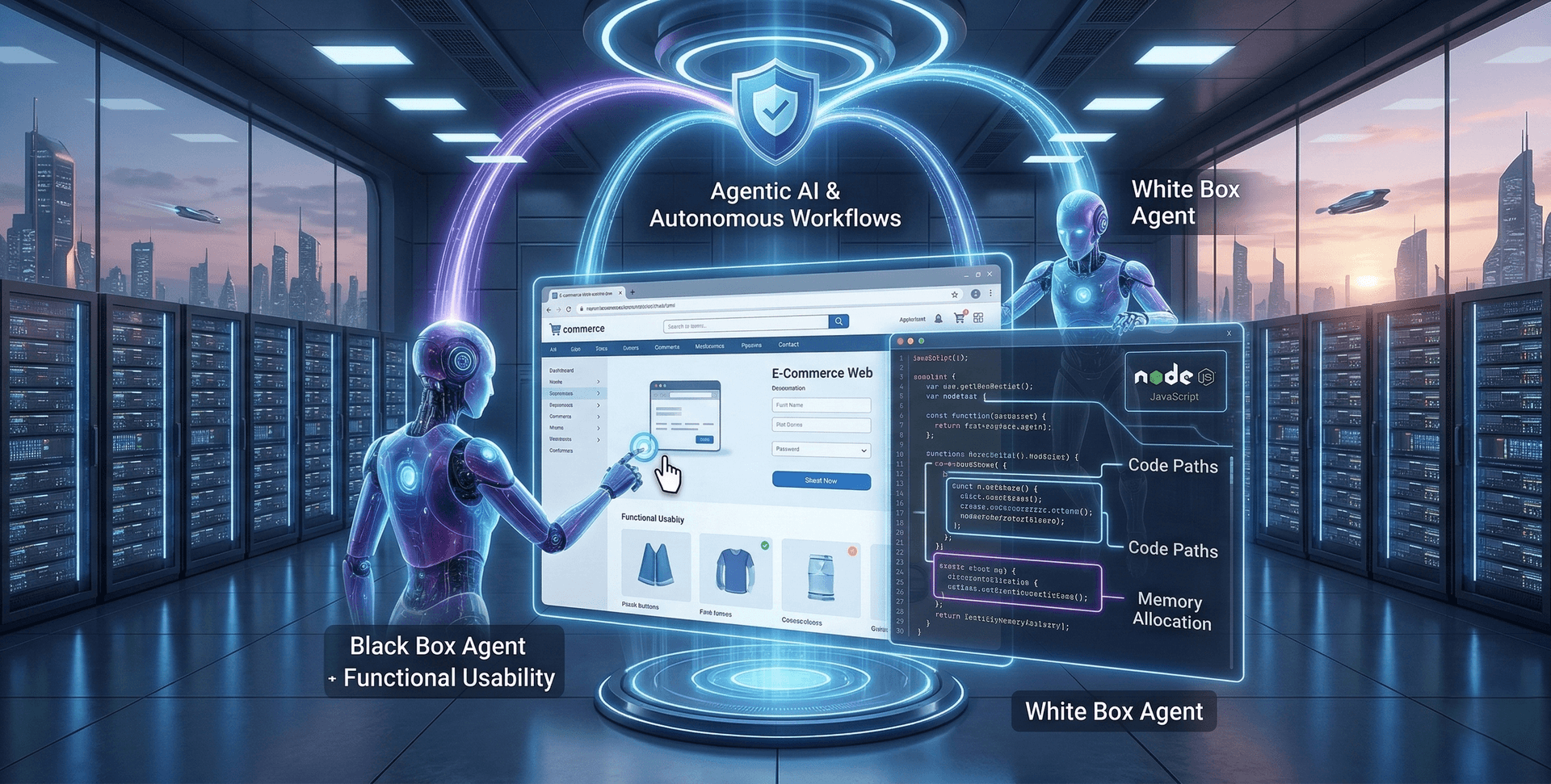
Building a dynamic web app is only half the battle; ensuring it doesn't break under pressure is the other. Discover the critical differences between Black Box and White Box testing, and learn how to secure both your frontend UI and your backend logic.
In the fast-paced era of Full Stack JavaScript development, deploying a flawless web application requires more than just clean code—it demands a strategic testing pipeline. This comprehensive guide breaks down the essential testing methodologies every software engineer and QA professional must master. We explore how Black Box testing validates the end-user experience and frontend interfaces, while White Box testing scrutinizes the underlying logic, database queries, and server infrastructure. Learn how balancing these two critical approaches guarantees a bug-free, highly scalable, and secure deployment for modern digital platforms.
The landscape of modern digital engineering requires flawless execution, and understanding Black Box vs White Box Testing in Web App Development is critical for ensuring that execution. In today’s fast-paced tech environment, deploying a dynamic web application without rigorous testing is a recipe for disaster. Users expect seamless interactivity, while complex backend architectures must handle massive data loads securely. This is where strategic testing methodologies come into play. Black box testing evaluates the application from the end-user's perspective, focusing solely on inputs and outputs without peering into the internal code.
Conversely, white box testing requires a deep dive into the application's internal logic, scrutinizing the underlying code structure, data flow, and architectural integrity. In this comprehensive guide, we will break down both methodologies, explore their specific applications in modern web development, and demonstrate how balancing these techniques leads to robust, enterprise-grade web applications.
The Critical Role of Testing in Modern Web Development
The days of static HTML pages are long gone. Today, the internet is dominated by highly interactive, state-driven single-page applications (SPAs) built on powerful frameworks. When you are engineering robust platforms—whether using React.js for the frontend or relying on a complete MERN stack (MongoDB, Express, React, Node.js)—the surface area for potential bugs increases exponentially.
Testing is no longer an afterthought; it is a foundational pillar of the Software Development Life Cycle (SDLC). When we look at Black Box vs White Box Testing in Web App Development, we are essentially looking at the two primary lenses through which quality assurance (QA) professionals and developers view a project. One lens looks at the behavior of the app, while the other looks at the anatomy of the app.
Failing to implement a balanced testing strategy can lead to catastrophic UI failures, severe security vulnerabilities, and logic flaws that cost businesses time, money, and reputation. By mastering these two distinct techniques, development teams can catch errors early, streamline their deployment pipelines, and ultimately deliver a superior user experience.
What is Black Box Testing?
Black Box Testing, also known as behavioural testing, is a software testing method in which the internal structure, design, and implementation of the item being tested are completely unknown to the tester.

Imagine interacting with a sophisticated coffee machine. You know that if you press the "Espresso" button (the input), you should receive a hot shot of espresso (the output). You do not need to understand the complex internal wiring, the water pressure mechanics, or the heating elements to know if the machine works correctly. This is the essence of black box testing.
Key Characteristics of Black Box Testing
- User-Centric Approach: The tester assumes the role of an end-user, interacting with the application's user interface (UI) to ensure it behaves as expected.
- No Coding Knowledge Required: Testers do not need to understand the underlying JavaScript, database queries, or server architecture.
- Focus on Functionality: The primary goal is to verify that the software functions according to the business requirements and specifications.
- External Perspective: It evaluates the system from the outside in, checking inputs, outputs, and overall usability.
Common Black Box Testing Techniques in Web Apps
To effectively evaluate a web application without looking at its code, testers rely on several structured techniques:
- Equivalence Partitioning: This technique divides input data into logical groups or "partitions" that are expected to exhibit similar behaviour. Instead of testing every possible input (which is impossible), testers select one representative value from each partition. For example, if a web app form requires a user's age to be between 18 and 60, equivalence partitioning would test one valid input (e.g., 30) and two invalid inputs (e.g., 15 and 65).
- Boundary Value Analysis: Bugs frequently hide at the boundaries of input ranges. This technique focuses on testing the exact boundary values. Using the previous age example, testers would specifically input 17, 18, 60, and 61 to ensure the system handles the extreme edges of the logic correctly.
- State Transition Testing: Web applications are often highly stateful. A user's experience changes based on their login status, shopping cart contents, or account permissions. State transition testing evaluates how the application moves from one state to another, ensuring that variables (like a React component's state) update correctly on the frontend.
- Error Guessing: This relies heavily on the tester's intuition and experience. A seasoned tester can anticipate common vulnerabilities or mistakes—such as inputting special characters into a URL parameter or submitting a form with empty required fields.
Pros and Cons of Black Box Testing
The Advantages:
- Realistic User Simulation: It provides the most accurate representation of how an actual user will interact with your web application in a real browser environment.
- Unbiased Evaluation: Because the tester is independent of the developer, they are less likely to assume a feature works just because they know how the code was written.
- Rapid Test Case Generation: Test cases can be designed as soon as the functional specifications are complete, parallel to the development process.
The Disadvantages:
- Blind Spots: Since the internal code is invisible, testers might miss logical flaws in unexecuted code paths. A feature might work on the surface but execute incredibly inefficient, resource-heavy background processes.
- Redundancy: If the developer has already tested a specific code block thoroughly, the black box tester might unknowingly duplicate that effort from the outside.
- Difficulty in Root Cause Analysis: When a black box test fails, it only tells you that something is broken, not where or why it is broken in the codebase.
What is White Box Testing?
White Box Testing, sometimes referred to as clear box, glass box, or structural testing, is a methodology where the tester has full visibility into the internal logic, source code, and architecture of the application.
Returning to the coffee machine analogy, white box testing is what the manufacturer’s engineer does. They open the machine, measure the electrical current through the circuits, inspect the water valves, and ensure the heating element reaches the exact correct temperature when the button is pressed.

Key Characteristics of White Box Testing
- Code-Centric Approach: The tester (usually a developer or specialized QA engineer) must have a deep understanding of the programming languages used (e.g., JavaScript, TypeScript, Node.js).
- Internal Visibility: It examines the intricate data flow, conditional statements, and algorithmic efficiency.
- Focus on Structure: The primary goal is to ensure the internal operations are logically sound, secure, and optimized.
- Developer-Led: This testing is typically performed by the development team alongside the coding phase.
Common White Box Testing Techniques in Web Apps
When dealing with complex web architectures, white box techniques dive deep into the logic:
- Statement Coverage: This metric ensures that every single line of code in the application has been executed at least once during testing. It guarantees that no dead code or unverified logic remains in the deployment build.
- Branch Coverage: Web applications are full of conditional logic (
if/elsestatements,switchcases). Branch coverage ensures that every possible branch from a decision point is tested. For instance, testing an Express middleware function that either grants access or throws a 401 Unauthorized error based on a JWT token. - Path Coverage: This is the most comprehensive technique. It tests all possible linear paths through a specific program module. It is highly complex but crucial for testing mission-critical algorithms, such as payment processing logic in a backend server.
- Memory Leak Testing: Particularly relevant in JavaScript-heavy applications, this involves profiling the app to ensure that memory is allocated and released correctly, preventing the browser or server from crashing during extended use.
Pros and Cons of White Box Testing
The Advantages:
- Thorough Code Optimization: It helps identify hidden bottlenecks, inefficient database queries, and redundant code, leading to highly optimized web applications.
- Early Bug Detection: Because it is performed at the code level, bugs are caught early in the development lifecycle, making them significantly cheaper and easier to fix.
- Enhanced Security: By analysing the internal architecture, testers can spot vulnerabilities like improper data sanitization or insecure API endpoints before malicious actors do.
The Disadvantages:
- Highly Complex and Expensive: It requires highly skilled personnel who understand modern web frameworks and backend architectures intimately.
- Time-Consuming: Writing test scripts for every internal path and branch is an incredibly resource-intensive process.
- Maintenance Overhead: When the codebase changes (which happens frequently in Agile web development), the white box tests must also be updated, creating a constant maintenance burden.
The Core Differences: Black Box vs White Box
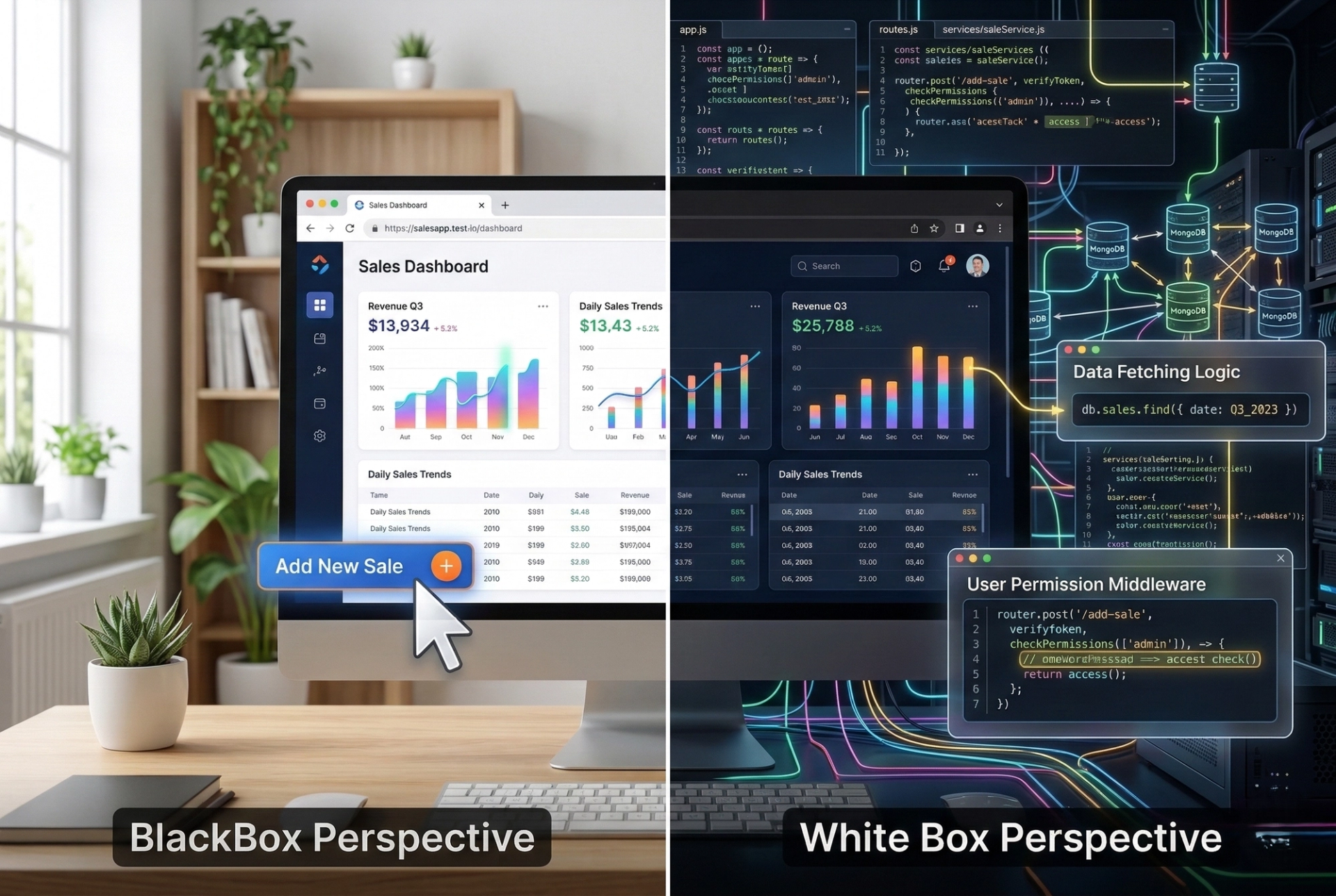
Understanding the distinction is crucial for deploying a balanced QA strategy. Here is a direct comparison to clarify their roles in web app development:
Applying These Methodologies to Modern Web Apps
Let’s contextualize these testing methodologies within a realistic web development scenario. Imagine you are building an e-commerce dashboard using a modern, component-driven frontend architecture and a robust, API-driven backend.
The Black Box Approach to the Dashboard
A black box tester will navigate to the live dashboard URL in their browser. They will test the interface exactly as a store manager would.
- They will attempt to log in using valid and invalid credentials, ensuring the UI displays the correct error messages.
- They will navigate the product catalog, clicking through pagination to verify the correct items load.
- They will attempt to add a new product, filling out the web form, uploading an image, and clicking submit. They only care that the success notification appears and the product shows up on the main grid.
- They will resize the browser to ensure the CSS grid is responsive on mobile devices.
The White Box Approach to the Dashboard
A white box tester (or the developer) will examine the application from the codebase outward.
- Frontend Logic: They will write unit tests for individual UI components. They will mock the state to ensure a button correctly dispatches a state management action without rendering errors.
- API Interactions: They will inspect the HTTP requests sent by the frontend, ensuring the headers contain the correct authorization tokens and payload structures.
- Backend Routing: They will test the backend server routes directly. If the frontend submits a new product, they will test the specific controller function that handles data validation before it hits the database.
- Database Queries: They will analyze the efficiency of the database aggregation pipelines to ensure the dashboard can quickly retrieve sales statistics without causing a server bottleneck.
The Middle Ground: Gray Box Testing
While Black Box vs White Box Testing in Web App Development represent the two extremes, modern QA often embraces a hybrid approach known as Gray Box Testing.
In Gray box testing, the tester primarily evaluates the external functionality (like a black box tester) but has partial knowledge of the internal workings, such as access to the database architecture or the API documentation.
This approach is incredibly powerful for web apps. For example, a gray box tester might submit a form via the frontend UI (Black Box) and then immediately query the database directly using SQL or NoSQL commands (White Box knowledge) to verify that the data was not only saved but formatted correctly. This ensures a deeper level of validation while still maintaining a focus on user-oriented workflows.
Elevating Your Skills with Professional Training
Mastering these sophisticated testing techniques requires more than just reading theoretical guides. It requires hands-on experience, real-world project work, and guidance from industry veterans.
If you or your team are looking to upgrade your testing capabilities, participating in structured educational programs can bridge the gap between theory and execution. Programs like Custom Training allow organizations to tailor QA curriculums precisely to their tech stacks. For fresh graduates aiming to enter the software testing field, comprehensive Campus to Corporate initiatives ensure a smooth transition into enterprise-level development environments.
Furthermore, aspiring QA engineers can dramatically accelerate their careers by enrolling in specialized courses. Gaining proficiency in Manual Software Testing is the perfect foundational step for understanding user psychology and behavioural testing. For those ready to dive into code-centric methodologies and CI/CD pipelines, pursuing Advanced Automation Testing is crucial. Finally, getting practical experience through an Internship Program provides the invaluable opportunity to test real web applications under the pressure of actual deployment deadlines.
Automation in Web App Testing
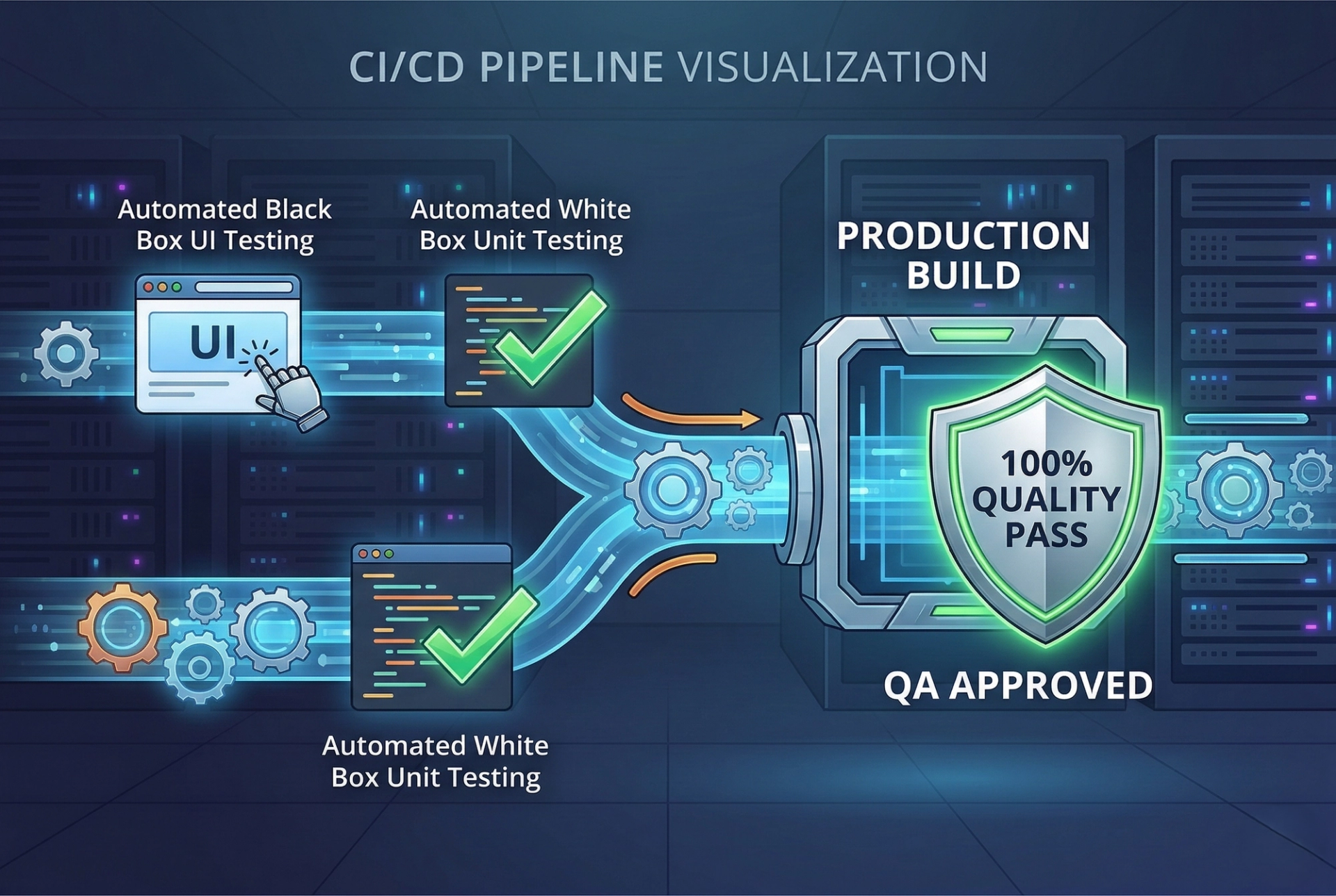
The discussion of testing methodologies inevitably leads to the topic of automation. In web app development, both black box and white box testing can—and should—be automated to ensure continuous integration and continuous deployment (CI/CD).
Automating Black Box Testing
Tools like Selenium, Cypress, and Playwright are the industry standards for automating black box tests in web apps. These tools programmatically control the web browser, simulating user clicks, typing, and navigation. For instance, you can write an automation script that opens Chrome, navigates to your application, fills out the login form, clicks submit, and asserts that the dashboard element becomes visible. This ensures that core user journeys are never broken during routine updates.
Automating White Box Testing
White box automation happens closer to the code. Developers utilize testing frameworks like Jest, Mocha, or Jasmine to write automated unit and integration tests. These scripts are designed to run automatically every time code is pushed to a repository. They will instantly flag if a new function breaks an existing branch of logic, or if an API endpoint suddenly starts returning incorrect HTTP status codes.
Best Practices for Testing Web Applications
To achieve a truly resilient web application, testing cannot be siloed. It requires a strategic combination of both approaches. Here are the best practices for implementing these techniques in your development cycle:
- Shift-Left Testing: Do not wait until the web app is fully built to start testing. Implement white box testing at the very beginning of the coding phase. By "shifting left" (testing earlier in the timeline), you catch foundational logic errors before they compound into massive architectural flaws.
- Maintain the Testing Pyramid: The ideal testing structure should resemble a pyramid. The broad base consists of thousands of fast, automated white box unit tests. The middle layer consists of integration and API tests. The narrow top layer consists of slower, more complex black box end-to-end (E2E) UI tests.
- Embrace Test-Driven Development (TDD): TDD is a highly effective white box strategy where developers write the test before they write the feature code. This forces developers to think critically about the application's architecture and expected outputs, resulting in cleaner, more maintainable code bases.
- Isolate Component Testing: In modern component-based frontends, isolate individual elements (like a navigation bar or a customized dropdown menu) and test them independently of the main application. This localized white box testing ensures that modular pieces function perfectly before they are integrated into the larger black box ecosystem.
- Simulate Real-World Environments: When conducting black box testing, ensure you are testing across multiple browsers (Chrome, Firefox, Safari) and multiple devices (desktop, tablet, mobile). Web applications must behave consistently regardless of the user's environment.
Frequently Asked Questions (FAQ)
Q1: Can a developer perform both black box and white box testing?
Yes, but it is generally recommended to have separate individuals perform black box testing. Developers inherently know how their code works (white box perspective), which creates a cognitive bias that makes it difficult for them to genuinely test the application from the perspective of an external user who knows nothing about the system.
Q2: Which testing method is more important for web apps?
Neither is "more" important; they are complementary. Relying solely on white box testing might result in a secure, efficient app with a terrible, non-functional UI. Relying solely on black box testing might result in a pretty UI that hides severe security vulnerabilities and memory leaks in the backend. Both are essential.
Q3: How does API testing fit into this paradigm?
API testing primarily falls into the white box or gray box categories. Testers interact directly with the web application's endpoints using tools like Postman, bypassing the graphical user interface entirely to ensure the server correctly processes data payloads and authentication protocols.
Q4: Is black box testing only done manually?
No. While manual exploratory testing is highly valuable for evaluating user experience and design intuition, the majority of repetitive black box testing (like regression testing user login flows) is highly automated using browser-based testing frameworks.
Q5: When should I choose gray box testing over the others?
Gray box testing is ideal for end-to-end integration phases. It is the best approach when you need to verify that complex user interactions on the frontend are correctly updating backend databases, requiring a blend of UI interaction and database querying skills.
Conclusion
Navigating the complexities of Black Box vs White Box Testing in Web App Development is fundamental to delivering high-quality, reliable software. Black box testing guarantees that your application meets the functional and experiential expectations of your users, acting as the final checkpoint for overall usability. Conversely, white box testing fortifies the hidden structural foundations, ensuring your code is efficient, secure, and logically sound.
In the modern era of complex frameworks and dynamic, full-stack applications, isolated testing strategies are no longer viable. The most successful development teams integrate both methodologies seamlessly, leveraging automation and continuous integration to build robust testing pipelines. By embracing this comprehensive approach, you empower your organization to deploy web applications that not only look incredible on the surface but execute flawlessly under the hood.
Tags

A Manual Tester in TESTRIQ QA LLP and also as Corporate Trainer with CDPL. With a focused career in training and development.