
Advanced DAX Formulas: 7 Patterns to Optimize Performance


Stop struggling with lagging Power BI dashboards. In this deep dive, we explore 7 advanced DAX patterns from VAR logic to virtual relationships that transform slow data models into high-speed enterprise assets.
An expert-level technical guide for Power BI developers focusing on the performance side of DAX. This article bridges the gap between basic formula writing and enterprise-grade optimization, ensuring data integrity and report speed are maintained at scale.
In the world of high-stakes enterprise analytics, speed is the ultimate currency. As data models grow from thousands to millions of rows, a poorly optimized Power BI report can quickly turn from a business asset into a technical liability. For Data Analysts and BI Professionals in 2026, mastering Advanced DAX Formulas is no longer just about getting the right answer-it’s about getting it instantly.
The difference between a report that "works" and one that "scales" lies in understanding the internal mechanics of the DAX engine. From managing complex filter contexts to navigating the intricacies of time intelligence, the efficiency of your formulas determines the responsiveness of your dashboards. This guide dives deep into seven battle-tested DAX patterns specifically designed to eliminate latency, streamline calculations, and ensure your Power BI environment remains high-performing, even under the weight of zettabyte-scale data.
The Architecture of Performance: Why DAX Optimization Matters
Before we dive into the patterns, we must understand that DAX (Data Analysis Expressions) operates on two distinct engines: the Formula Engine (FE) and the Storage Engine (SE). Most performance bottlenecks occur when the Formula Engine is forced to do heavy lifting that should have been handled by the Storage Engine.
Optimizing your DAX formulas is essentially the process of "pushing" as much logic as possible into the Storage Engine, where data is compressed and processed in parallel. By utilizing advanced patterns, you reduce the CPU cycles required for each visual, leading to a "snappy" user experience that stakeholders demand.
Pattern 1: The VAR-Driven Logic (Reducing Redundancy)
One of the most common mistakes in DAX development is the repeated calculation of the same expression within a single measure. Every time you call a measure or an expression, the engine evaluates it. By using Variables (VAR), you calculate a result once and store it in memory for reuse.
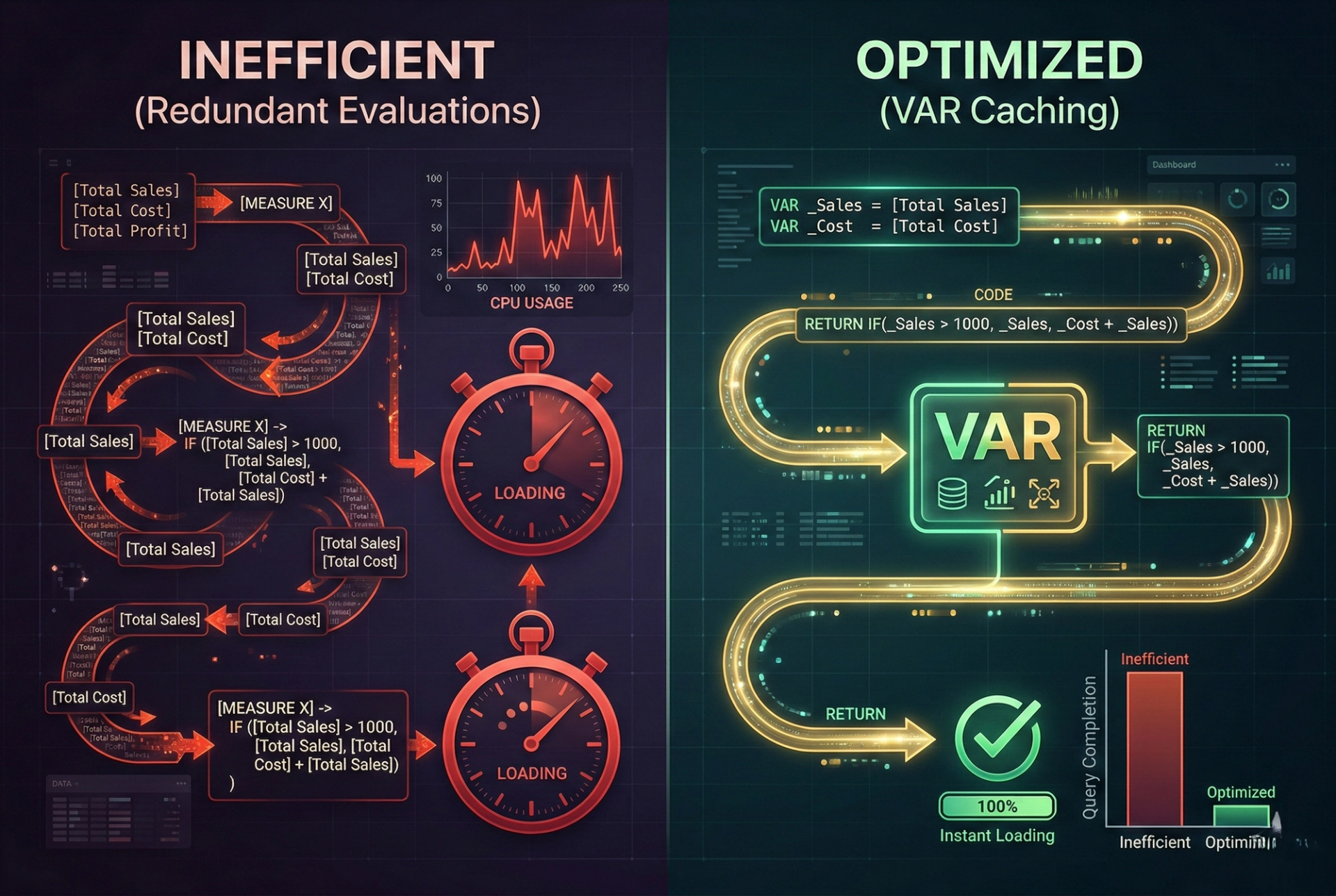
The "Old" Way (Performance Killer):
In this example, [Total Sales] is evaluated three separate times. On a large dataset, this triples the work.
The Optimized Pattern:
Why it ranks: Variables improve readability and dramatically reduce the query plan's complexity. For any Software Testing Services provider, performance is a key KPI, and VAR-driven DAX is the foundation of high-quality report testing.
Pattern 2: Advanced Time Intelligence (Beyond Standard Functions)
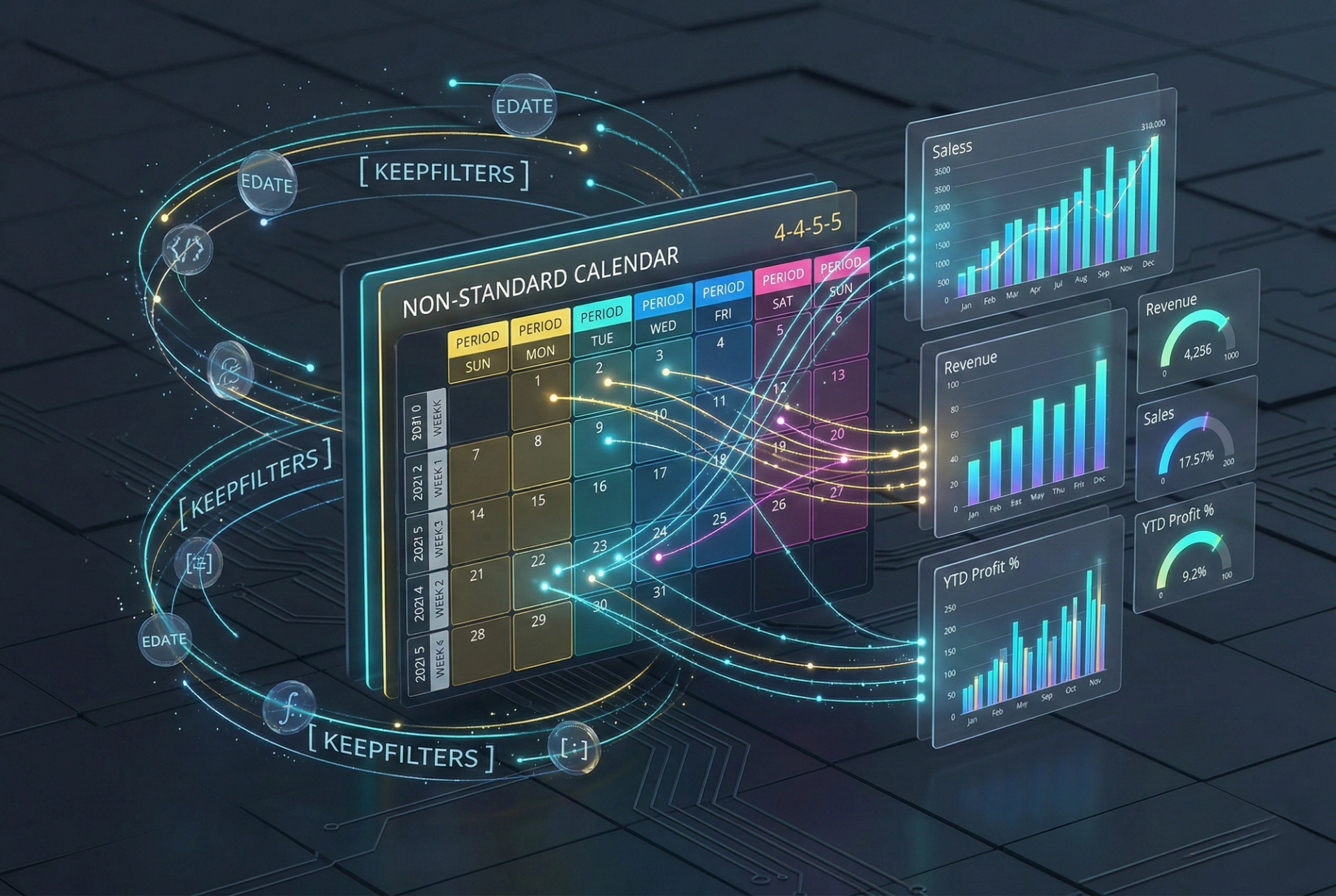
Standard functions like TOTALYTD are great for simple calendars, but enterprise-grade reporting often requires custom fiscal years, 4-4-5 calendars, or parallel period comparisons that standard DAX functions struggle to handle efficiently.
Instead of relying on built-in "sugar" functions, the advanced pattern uses CALCULATE paired with FILTER or KEEPFILTERS over a dedicated Date table.
The High-Performance Pattern:
This pattern ensures that the Storage Engine can perform a simple range scan on the date column, which is significantly faster than the internal expansion of standard time intelligence functions.
Pattern 3: Context Transition & Iterator Optimization
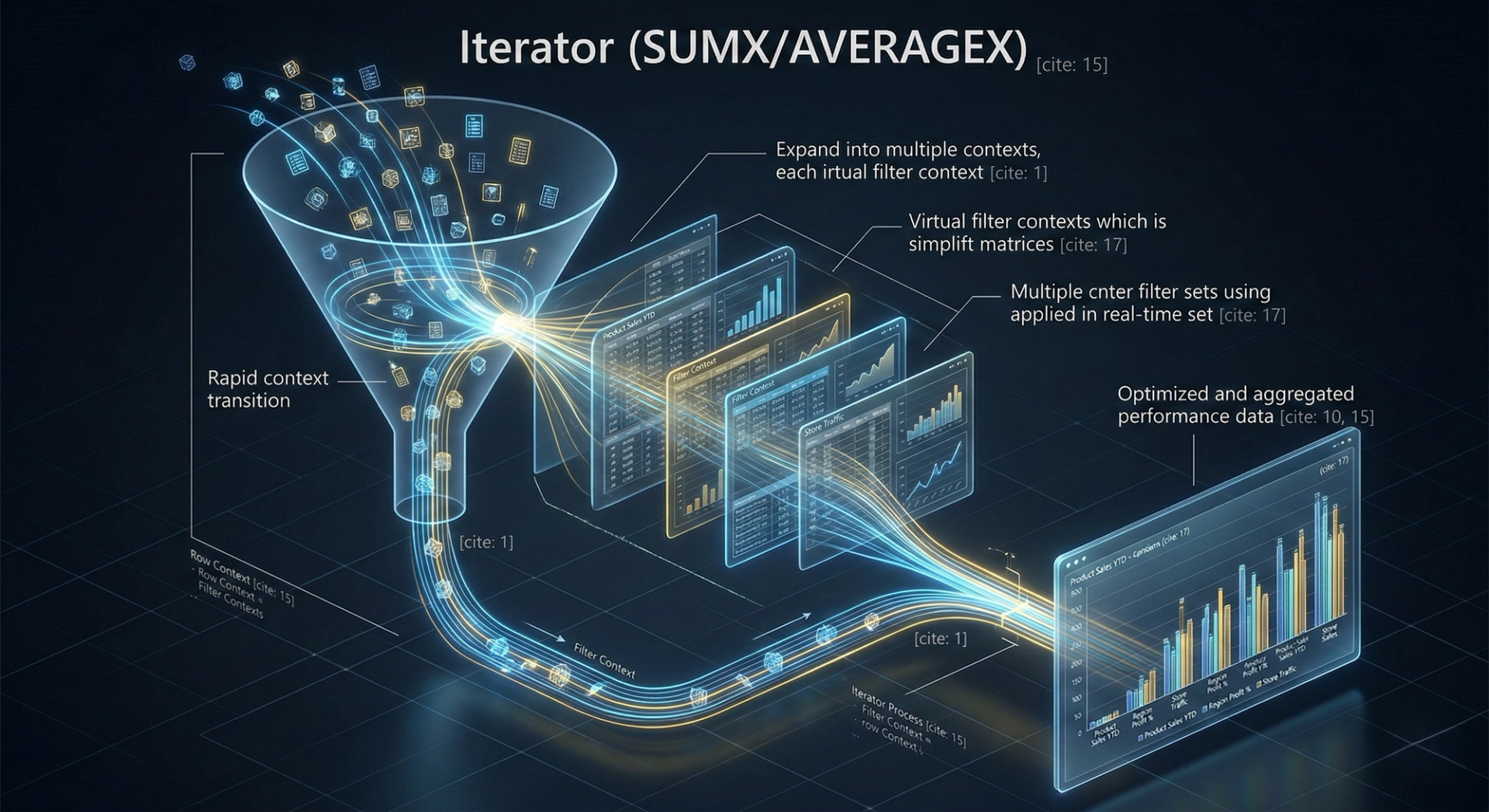
Iterators like SUMX and AVERAGEX are powerful but dangerous. When you use a measure inside an iterator, DAX performs a Context Transition, turning the current row context into a filter context. While necessary for some calculations, doing this inside a million-row loop will crash your report's performance.
The Optimization Secret: Avoid calling complex measures inside SUMX. Instead, pull the logic directly into the iterator using variables or use set-based operations where possible. This is a critical check during Performance Testing to ensure the Formula Engine isn't bottlenecked.
Pattern 4: Handling Many-to-Many with TREATAS
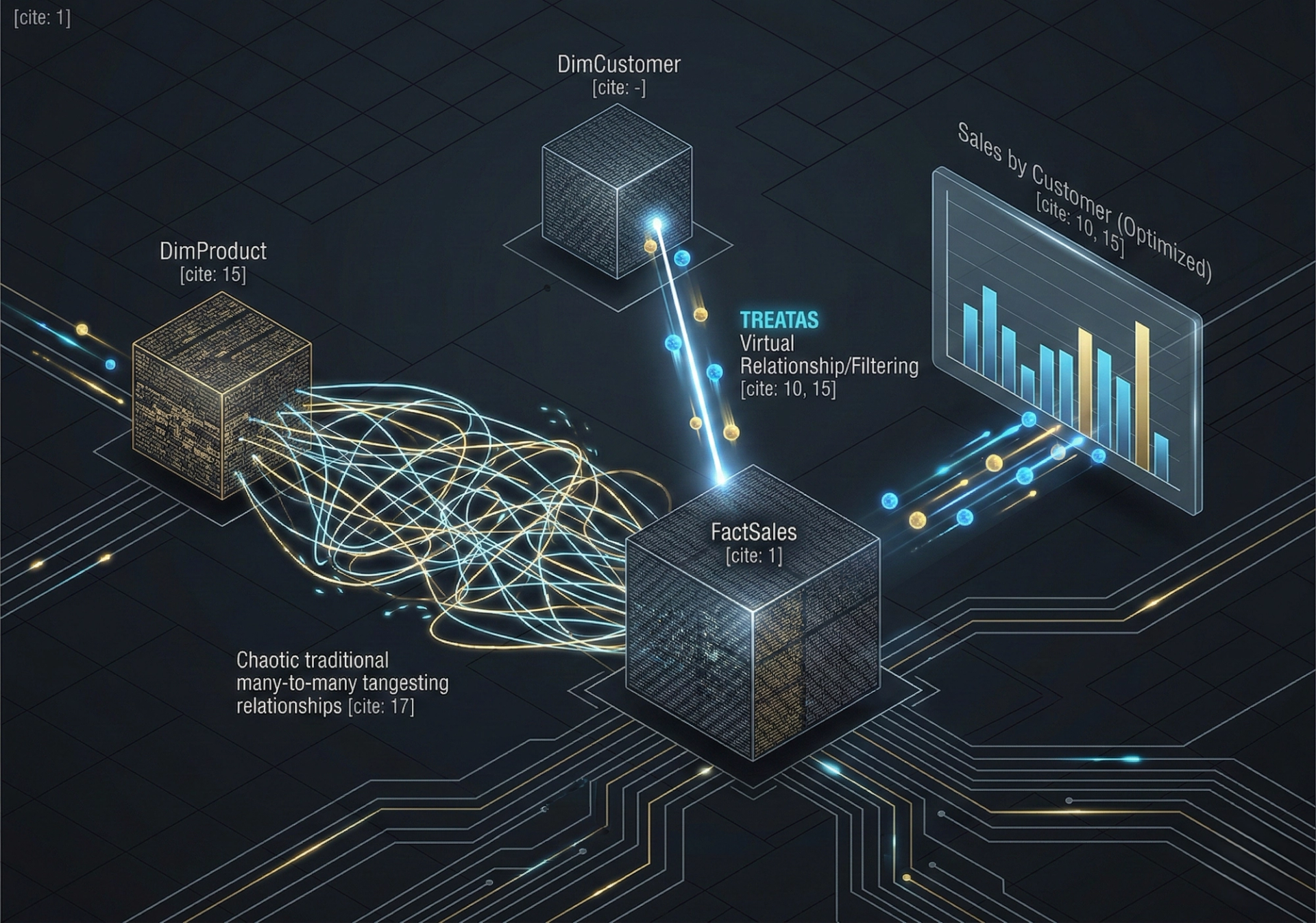
Historically, many-to-many relationships were handled using "Bridge Tables" or "Bi-directional Filtering." Both of these methods are performance heavy and can lead to ambiguous data results.
In 2026, the advanced approach is to use Virtual Relationships via TREATAS.
TREATAS is significantly more efficient because it pushes the filtering logic directly to the Storage Engine without the overhead of physical relationship overhead in the metadata model.
Pattern 5: The "CALCULATE" Filter Hijack (Using KEEPFILTERS)
By default, CALCULATE overwrites existing filters. If you want to intersect new filters with existing ones (which is common in complex dashboards), using KEEPFILTERS is essential. It prevents the engine from clearing the existing filter context, which reduces the "scan" area of the query.
Pattern 6: Ranking without the Lag (RANKX Best Practices)
RANKX is notorious for being slow because it has to evaluate the entire table to determine the position of a single row. To optimize this, always ensure the table you are ranking over is as small as possible (e.g., using ALLSELECTED or VALUES instead of ALL).
Optimizing your ranking formulas is a staple of Data Analysis courses, ensuring that "Top N" visuals don't take 10 seconds to load every time a user changes a slicer.
Pattern 7: Dynamic Measure Switching with Calculation Groups
If your report has 50 different measures (Sales, Cost, Margin, etc.) and you want to see them all by YTD, MTD, and YoY, you would traditionally need 150 measures. This bloats the model and slows down metadata loading.
Calculation Groups allow you to apply "logic wrappers" over existing measures. This is the ultimate optimization for enterprise-scale Power BI models, reducing the "Measure Bloat" and simplifying the Manual Testing process by centralizing logic.
Visualizing the Performance Impact
Strategic Interlinking: Enhancing Your Data Strategy
To truly master the data lifecycle, optimizing your DAX is only one part of the equation. A robust strategy requires ensuring the underlying data is accurate through professional Software Testing Services. Before the data even reaches Power BI, it must be validated via rigorous ETL Testing to prevent "garbage-in, garbage-out" scenarios.
Furthermore, as reports become more complex, manual verification becomes impossible. This is where Automation Testing and specifically AI Application Testing ensure that your predictive models and DAX logic remain consistent across updates. For teams looking for high-touch, precision-driven quality assurance, our Manual Testing Services provide the human insight needed for complex business logic validation.
Frequently Asked Questions (FAQ)
Q: Does DAX formatting affect performance?
No, the formatting (spaces, line breaks) doesn't affect performance, but using Variables and avoiding redundant measures does.
Q: Is CALCULATE always slow?
Not at all. CALCULATE is the most powerful function in DAX. It only becomes slow when it triggers unnecessary context transitions inside large iterators.
Q: Should I use Calculated Columns or Measures?
For performance, Measures are almost always better. Calculated Columns are computed during data refresh and take up RAM. Measures are calculated at query time and are more flexible.
Q: How do I identify a slow DAX formula?
Use the Performance Analyzer built into Power BI Desktop or DAX Studio to trace the "Query Plan" and "Server Timings."
Conclusion
In 2026, the complexity of data is increasing, but our tolerance for slow reports is decreasing. Mastering Advanced DAX Formulas is the bridge between a cluttered, lagging dashboard and a high-performance analytical tool. By implementing these 7 patterns-from VAR logic to TREATAS-you ensure that your Power BI reports are not just accurate, but exceptionally fast.
Remember, great DAX is built on great data. Ensure your entire pipeline is sound by partnering with experts who understand the intersection of data integrity and performance.
Tags

Seasoned Business Intelligence and learning and development professional with over 11 years of experience empowering students and professionals to unlock career success through data-driven skills. Specializing in Power BI, Tableau, and Prompt Engineering, Ashish is known for delivering practical, high-impact workshops and training programs across academic and corporate sectors.